

ချိတ်ဆက်ထားသော ပလက်ဖောင်း
Nexa One ၏ လုပ်ဆောင်ချက်အားလုံး
ဖောက်သည်၊ ကုန်ပစ္စည်း၊ လက်ကျန်နှင့် စာရင်းဇယား တစ်ခုတည်းပေါ်ရှိ module အားလုံးနှင့် ၎င်းတို့အတူ မျှဝေသုံးသော ပလက်ဖောင်း။ အောက်ပါစာရင်းတိုင်းသည် ယနေ့ စနစ်က လုပ်ဆောင်ပေးနေသည့်အရာများ ဖြစ်သည်။
ချိတ်ဆက်ထားသော module များ
ရောင်းချ၍ ကြီးထွားရန်
ဖောက်သည်နှင့် အရောင်းကို ချိတ်ဆက်ထားပါ။
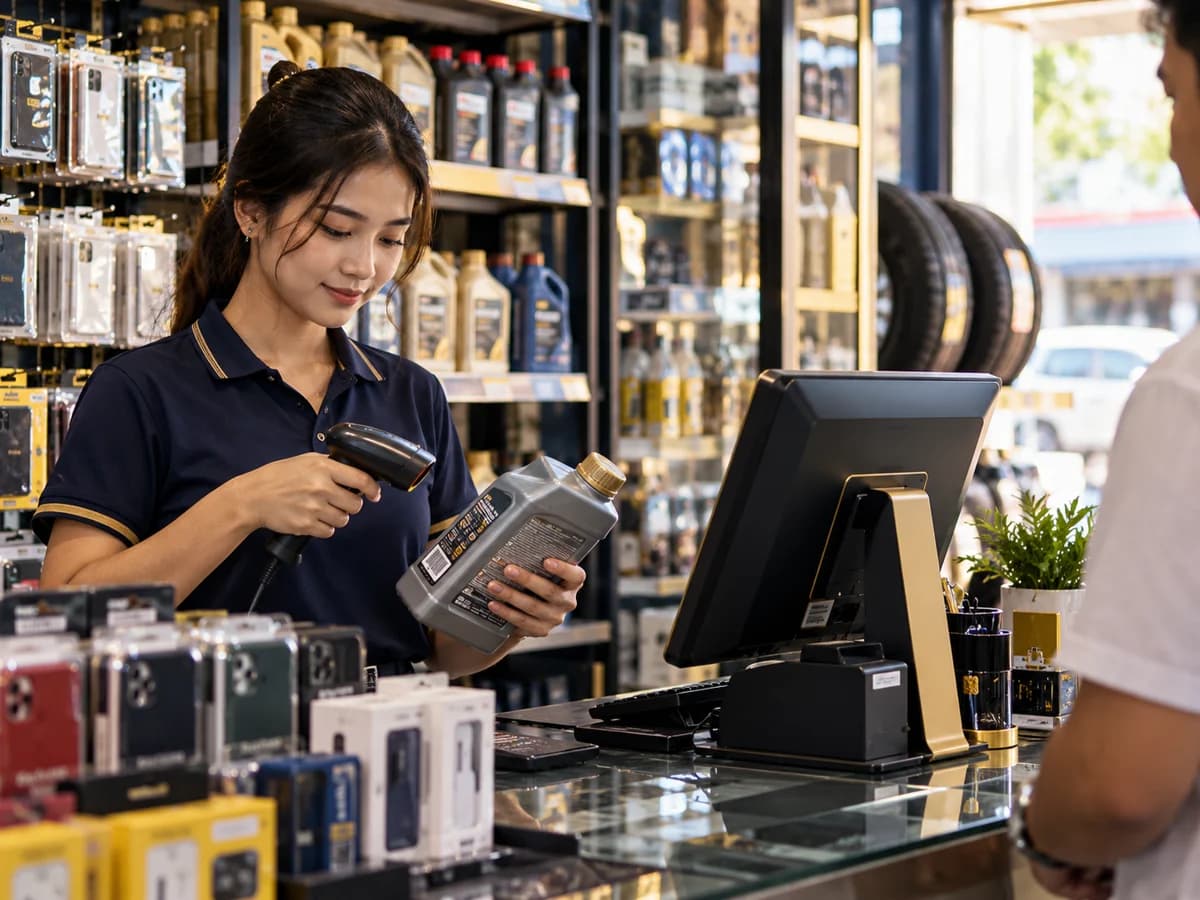 POS နှင့် အရောင်းကောင်တာတွင် အရေအတွက်ဖြင့်ဖြစ်စေ IMEI ဖြင့်ဖြစ်စေ ရောင်းချပါ — ငွေသားဖြင့်၊ အကြွေးဖြင့် သို့မဟုတ် ကြိုတင်မှာယူမှုဖြင့်၊ ဆိုင်ခွဲတိုင်းတွင်။
- ဘားကုဒ်နှင့် IMEI ရွေးချယ်မှုပါ မြန်ဆန်သော ငွေရှင်းခြင်း
- အကြွေးကန့်သတ်ချက်ပါ လက်ကား
- ပရိုမိုးရှင်းနှင့် အသင်းဝင်ပွိုင့်
 စားသောက်ဆိုင်နှင့် ဟိုတယ်စားသောက်ဆိုင်အတွက် မီးဖိုချောင်လက်မှတ်ပါ စားပွဲဝန်ဆောင်မှု၊ ဟိုတယ် သို့မဟုတ် တည်းခိုခန်းအတွက် အခန်း၊ ဘွတ်ကင်နှင့် ချက်ခ်အောက် — ဘောက်ချာတိုင်းကို သင့်စာရင်းတွင် မှတ်တမ်းတင်သည်။
- စားပွဲ၊ မီနူးနှင့် မီးဖိုချောင်လက်မှတ်
- နှစ်ထပ်ဘွတ်ကင်မဖြစ်သော အခန်းနှင့် ဘွတ်ကင်
- ချက်ခ်အင်၊ အပိုကုန်ကျစရိတ်နှင့် ချက်ခ်အောက် ဘောက်ချာ
 CRM နှင့် စျေးကွက်ရှာဖွေရေးဖောက်သည်အသစ်များ ရယူပြီး ပြန်လာစေပါ။
- Leads၊ အရောင်းအလားအလာနှင့် ဈေးနှုန်းတင်ပြချက်
- အီးမေးလ်နှင့် SMS ကမ်ပိန်း
- ဖောက်သည်စစ်တမ်းနှင့် ပံ့ပိုးမှုကိစ္စများ
 ဝန်ဆောင်မှုနှင့် အလုပ်များပြုပြင်ရေးအလုပ်များ၊ စက်ပြင်ဆရာများနှင့် အာမခံ တောင်းဆိုမှုများကို စီမံပါ။
- လက်ခံချိန်မှ ငွေတောင်းခံချိန်အထိ အလုပ်ခြေရာခံ
- စက်ပြင်ဆရာ အချိန်ဇယား
- အာမခံနှင့် ဝန်ဆောင်မှုစာချုပ်
 ပို့ဆောင်ရေးအော်ဒါများ ပို့ဆောင်၊ ငွေကောက်ခံပြီး ဖောက်သည်များကို ခြေရာခံကြည့်ခွင့်ပေးပါ။
- ပို့ဆောင်ရေးအော်ဒါနှင့် လမ်းကြောင်း
- ယာဉ်မောင်းများကို မြေပုံပေါ်တွင် တိုက်ရိုက်ခြေရာခံ
- ဖောက်သည် ခြေရာခံလင့်ခ်
ချိတ်ဆက်ထားသော module များ
ကုန်ပစ္စည်းနှင့် ထောက်ပံ့ရေး
ပေးသွင်းသူထံမှ ကုန်ချောအထိ ကုန်ပစ္စည်းများကို စီမံပါ။
 ကုန်ပစ္စည်း စာရင်းသင့်မှာ ဘာရှိသလဲ၊ ဘယ်မှာရှိသလဲ၊ တန်ဖိုးဘယ်လောက်လဲ ဆိုတာကို သိပါ။
- ဂိုဒေါင်များစွာနှင့် စင်နေရာများ
- သက်တမ်းကုန်ရက်၊ Lot နှင့် ပြန်သိမ်းခြင်း
- ရေတွက်စစ်ဆေးခြင်းနှင့် ပြန်မှာယူရမည့်အဆင့်
 ဝယ်ယူရေးပေးသွင်းသူများထံ မှာယူပြီး ကုန်ပစ္စည်းများကို ၎င်းတို့၏ အမှန်တကယ်ကုန်ကျစရိတ်ဖြင့် လက်ခံပါ။
- ဝယ်ယူအော်ဒါနှင့် ကုန်ပစ္စည်းလက်ခံခြင်း
- သယ်ယူစရိတ်နှင့် အခွန်အတွက် Landed cost
- ပေးသွင်းသူထံ ပြန်ပို့ခြင်း
 ထုတ်လုပ်ရေးကုန်ကြမ်းများကို ကုန်ချောအဖြစ် ပြောင်းပြီး ထုတ်လုပ်မှုတစ်ကြိမ်ချင်း၏ ကုန်ကျစရိတ်ကို သိပါ။
- ပစ္စည်းစာရင်း (BOM)
- အလုပ်အော်ဒါနှင့် လုပ်ငန်းစဉ်
- အရည်အသွေးစစ်ဆေးခြင်းနှင့် ကုန်ကျစရိတ် ကွာဟချက်
 ချိတ်ဆက်မှုများသင့်ရှိပြီးသား ဒေတာကို spreadsheet မှ Nexa One သို့ ထည့်သွင်းပါ (သင့်အဖွဲ့အစည်းအတွက် ဖွင့်ထားသောအခါ)။
- ရှိပြီးသားဒေတာကို spreadsheet မှ ထည့်သွင်းခြင်း
ချိတ်ဆက်ထားသော module များ
ငွေကြေးနှင့် ထိန်းချုပ်မှု
ငွေ ဘယ်ကိုသွားသည်၊ ဘယ်သူ အတည်ပြုသည်ကို သိပါ။
 စာရင်းကိုင်အရောင်းနှင့် အဝယ်တိုင်းမှ အလိုအလျောက် စာရင်းသွင်းပေးသော နှစ်ဖက်သွင်း စာရင်းစနစ်။
- အလိုအလျောက် ဂျာနယ်သွင်းခြင်း
- အရှုံးအမြတ်၊ လက်ကျန်ရှင်းတမ်း၊ ငွေသားစီးဆင်းမှု
- ငွေကြေးအမျိုးမျိုး
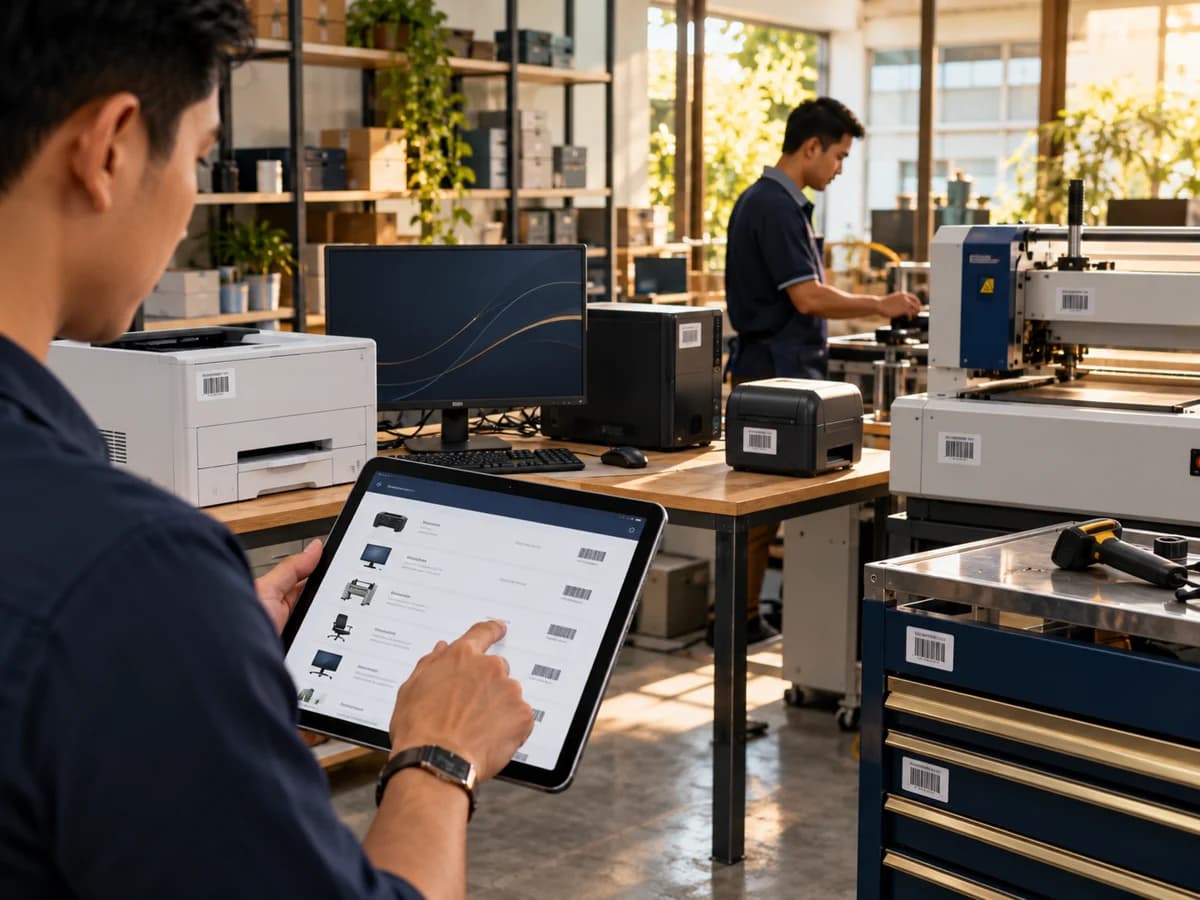 ပုံသေ ပိုင်ဆိုင်မှုများစက်ပစ္စည်းနှင့် ယာဉ်များကို ဝယ်ယူချိန်မှ စွန့်ပစ်ချိန်အထိ ခြေရာခံပါ။
- ဘားကုဒ်ပါ ပိုင်ဆိုင်မှု မှတ်ပုံတင်
- လစဉ် တန်ဖိုးလျော့နည်းမှု
- လွှဲပြောင်း၊ တန်ဖိုးပြန်သတ်မှတ်နှင့် စွန့်ပစ်ခြင်း
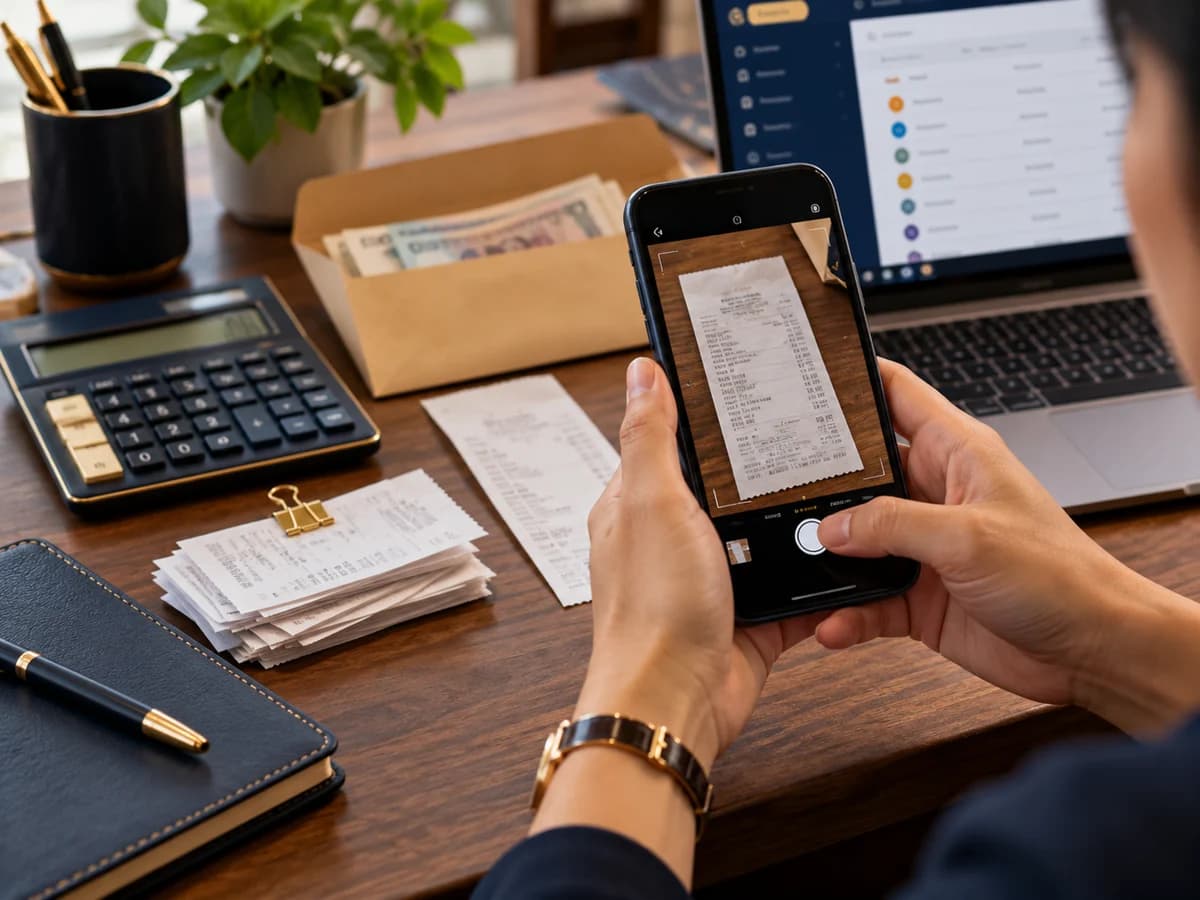 အသုံးစရိတ်များပြေစာဓာတ်ပုံပါ ဝန်ထမ်း အသုံးစရိတ်တောင်းခံမှု၊ အသေးသုံးငွေနှင့် ထပ်ခါထပ်ခါ ငွေတောင်းခံလွှာများ — ဖြစ်ပေါ်သည်နှင့် သင့်စာရင်းတွင် မှတ်တမ်းတင်သည်။
- ပြေစာဓာတ်ပုံပါ အသုံးစရိတ် တောင်းခံမှု
- ဘောက်ချာနှင့် ငွေရေတွက်မှုပါ အသေးသုံးငွေ
- ငှားရမ်းခကဲ့သို့ ထပ်ခါထပ်ခါ ငွေတောင်းခံလွှာ
 အတည်ပြုချက်များမည်သည့်စာရွက်စာတမ်းများ အတည်ပြုချက်လိုသည်၊ မည်မျှပမာဏတွင် လိုသည်နှင့် မည်သူက အတည်ပြုမည်ကို ဆုံးဖြတ်ပါ။
- ပမာဏ၊ ဆိုင်ခွဲနှင့် အခြေအနေအလိုက် အတည်ပြုစည်းမျဉ်း
- အဆင့်တစ်ခုတွင် အတည်ပြုသူ အများအပြား၊ အထက်တင်ခြင်းနှင့် ကိုယ်စားလှယ်
- Telegram မှ အတည်ပြုခြင်း
 အလိုအလျောက်လုပ်ဆောင်ခြင်းတစ်ခုခု ဖြစ်လာသောအခါ သက်ဆိုင်သူများကို အသိပေးပါ — သင်ကိုယ်တိုင် သတ်မှတ်သော စည်းမျဉ်းများ။
- ဘယ်အချိန် → အခြေအနေ → အသိပေး → ထို့နောက် စည်းမျဉ်းများ
- ကျော်လွန်ငွေ၊ ကုန်နည်းမှုနှင့် အရောင်းကြီး သတိပေးချက်
- ခေါင်းလောင်း၊ အီးမေးလ်၊ ဖုန်း သို့မဟုတ် Telegram ဖြင့် ဝန်ထမ်း အသိပေးချက်
ချိတ်ဆက်ထားသော module များ
ဝန်ထမ်းနှင့် ခြုံငုံသုံးသပ်ချက်
အလုပ်ကို စီစဉ်၊ ဝန်ထမ်းများကို ပံ့ပိုးပြီး အခြေအနေတစ်ခုလုံးကို မြင်ပါ။
 HR နှင့် လစာဝန်ထမ်းများကို စီမံပြီး SSB နှင့် အခွန် အပါအဝင် လစာကို မှန်ကန်စွာ ပေးချေပါ။
- တက်ရောက်မှု၊ အလုပ်ဆိုင်းနှင့် ခွင့်
- SSB နှင့် ဝင်ငွေခွန်ပါ လစာ
- ဝန်ထမ်းခေါ်ယူခြင်းနှင့် သင်တန်း
 ပရောဂျက်များအလုပ်ကို စီစဉ်၊ အချိန်ကို မှတ်တမ်းတင်ပြီး ငွေတောင်းခံပါ။
- လုပ်ငန်းများအတွက် ဘုတ်၊ စာရင်းနှင့် ပြက္ခဒိန်
- မှတ်ချက်၊ ဖော်ပြချက်နှင့် သတိပေးချက်
- အချိန်စာရင်းနှင့် ပရောဂျက် ငွေတောင်းခံခြင်း
 အစီရင်ခံစာများလုပ်ငန်းအခြေအနေကို ယနေ့နှင့် အချိန်ကာလအလိုက် ကြည့်ပါ။
- ရာထူးတစ်ခုချင်းအတွက် ဒက်ရှ်ဘုတ်
- အရောင်း၊ အမြတ်နှင့် ကုန်ပစ္စည်း အစီရင်ခံစာ
- အီးမေးလ်ဖြင့် အချိန်ဇယား အစီရင်ခံစာ
 AIသင့်ကိုယ်ပိုင် မှတ်တမ်းများမှ အလုပ်လုပ်ပြီး သင့်ကိုယ်ပိုင် AI key ကို အသုံးပြုသော AI လက်ထောက်နှင့် AI agent များ။
- Ask Nexa AI လက်ထောက်
- မန်နေဂျာများအတွက် AI နေ့စဉ်အကျဉ်းချုပ်
- AI ပြန်မှာယူမှုနှင့် ငွေတောင်းသတိပေး agent များ
ကောင်တာတွင် အရေအတွက်ဖြင့်ဖြစ်စေ IMEI ဖြင့်ဖြစ်စေ ရောင်းချပါ — ငွေသားဖြင့်၊ အကြွေးဖြင့် သို့မဟုတ် ကြိုတင်မှာယူမှုဖြင့်၊ ဆိုင်ခွဲတိုင်းတွင်။
- Salesman accounts can open Mini POS by default, or Checkout if the organization chooses it; the POS menu scrolls so every item stays reachable on shorter screens
- Keyboard-first checkout and a touch-friendly Mini POS that loads more products as you scroll; phone POS product cards keep consistent heights with space for two-line names
- Sell with no stock when you choose, at the counter and on wholesale orders — for shops that do not enter stock: can't sell (default), ask first, or sell without asking, per branch, and each product can choose its own rule; the stock shows below zero until the next stock in fills it, and a cost price you set is used until then
- Till fields per branch: hide what a shop does not need — customer details, member scan, gift card, customer pay amount, split payment, bank transfer, drafts or suggestions — on Mini POS, Checkout and the phone app
- Type the cash the customer hands over and see the change to give, with any tax included
- Barcode and camera scanning, including box and carton barcodes
- Search and select individual IMEIs or serials in Checkout and Mini POS, loaded page by page as you search, when switched on for your organization
- The IMEI or serial number printed under each item on receipts and invoices, when switched on for your organization
- Wholesale sales with dealer pricing, credit limits and down payments, and an order paid now can be paid part in cash and the rest by bank transfer or a payment method; Wholesale and Both customers get a linked dealer profile, and existing dealers can be linked without losing invoice history
- An alert when a customer's balance approaches or exceeds their credit limit, when switched on for your organization
- Credit hold: a customer whose invoice is overdue past the days you set, or whom you put on hold, can still buy for cash but gets no new credit until someone you allow releases them (when switched on); customer details opened from Credit Hold return there with Back
- Duplicate customers: see customers entered twice with the same phone number or email, so the extra record can be corrected (when switched on)
- Back orders — record what a customer wants while it is out of stock; product searches keep your branch and chosen product selected, with loading and retry feedback; when enough stock reaches the branch the oldest are marked ready and staff are told, nothing reserved or charged until it is sold (when switched on)
- Gift cards: sell a numbered card for any amount with an optional customer field whose suggestions open when you click, type or use arrow keys, show their name in details and on the printed slip, and use a small Change or Assign customer action on existing cards with permission; take it at Checkout or Mini POS alone or with other payments, see its balance and history; the money waits as a liability until spent, and gift-card refunds go back onto the card (when switched on)
- Instalment sales (hire purchase): a down payment, then monthly, fortnightly or weekly instalments on a credit sale, with interest and a late fee if you charge them; payments go to the oldest instalment first and interest is booked as income when received (when switched on)
- Sale orders with deposits and partial pickup — set quantities across compatible batches, reserve only the units ordered and keep the rest available; choose serial-numbered items individually
- Draft invoices you finish later, with a Drafts picker in the mobile POS to find, reopen, update or delete a saved sale
- Buying used items from customers and trade-ins in one transaction, with collapsible sections on phones and a scrolling form followed by the payment balance and confirmation actions
- Returns, voids and refunds that keep the books straight
- A numbered, printable credit note for every return, when switched on for your organization; a credit note on its own (a price correction or goodwill) lowers what a customer still owes on an invoice
- Debit notes: charge a customer more after a sale — the customer owes it like an invoice and pays it the same way (when switched on)
- Rebates and dealer incentives: reward customers for what they buy in a month, quarter or year — by value or units, with reward steps — and apply the reward as credit on their invoices, never as cash (when switched on)
- "Often bought together" suggestions at the till, learned from your own sales and only for products in stock at that branch (when switched on)
- When a product is out of stock in the branch, the till offers the substitutes you chose that are in stock — the cashier picks one, nothing is swapped automatically (when switched on)
- Kits: gift sets, hampers and bundles sold as one item made of other products — assembled ahead into stock, or made at the till from the components when sold; the kit costs what its components cost, and the org admin picks the default (when switched on)
- Add-ons and notes on sale lines: extras a customer chooses with a product (toppings, size, spice level) with their own price, a choice can take a product from stock and can be asked for more than once (2 or 3 extra eggs), and a note per line such as "no spicy" — printed on the receipt; also on sale orders, quotations and Nexa One Market, where buyers choose them on the product page; each branch switches them on or off (when switched on)
- Auto, coupon and bundle promotions — online Checkout, Wholesale orders and sale-order collections apply eligible automatic discounts for the selected customer, segment and branch (a collection never below the deposit already paid), shows the promotion in totals and receipts, and rechecks before posting; each promotion can be limited to branches, customer segments and member types, with overall or per-customer usage limits
- Buy X Get Y deals: buy one get one free, buy 10 get 1, the cheapest item free or buy one product and get another — Mini POS adds a single free product to the cart by itself, once or every time per sale; a return takes the free value back when the deal no longer holds (when switched on)
- FOC free goods for distributors: buy 10 of product A and get 1 of product B, or spend over an amount and get free goods — the free goods are added on top as their own lines at price 0 at Mini POS, Checkout, Wholesale and the staff phone app, their cost is booked to its own account, a report shows what was given by promotion, product, customer, salesman and branch, and a return charges free goods the kept items no longer earn (when switched on).
- Manual FOC gifts at online Checkout, Mini POS and Wholesale are off by default; enable them in Organization settings. Link a gift to a purchase, record a reason and use direct permission or manager approval, with gifts shown by item name for review. Zero-price receipts, stock deduction and separate gift costs; linked gifts must come back with a returned purchase (when available).
- Staff are told in the app when a promotion starts and before it ends, with who is told and how early set by you (when switched on)
- Members, tiers and points you can redeem at the till
- Quantity-break prices and branch prices
- Price lists and a customer's own prices, given to one customer or a whole member tier, with dates they apply (when switched on for your organization)
- Suggested selling prices from received cost plus landed costs and markup; set the shared default in Settings > Organization, or save a receipt-specific markup and selling prices for its stock in Checkout and Mini POS. Other POs keep their prices; price cuts follow approval policies (when switched on)
- Price each product in its own currency — for example in MMK while the books are in USD; the till starts in the first item's currency and converts the rest at today's rate (when switched on)
- Every product has a category from one fixed list, so a shop selling many kinds of goods is found under each of them on Nexa One Market
- Group products your way: by brand and model, or by your own categories and sub-categories, which you can add and rename any time; one brand works across every product type
- Product variants such as shade and size; manage options and families in the staff phone app, choose a variant or serial at the till, and receive serial ranges
- Cash register opening and closing in a full-width view: staff count the drawer (optionally without seeing the expected amount), each opening is checked against the last close, bank deposits and safe drops are recorded on the register, and any difference is posted to Cash Over/Short with a reason, keeping the Cash account in step with the drawer
- Myanmar payment methods — KBZPay, WavePay, AYA Pay, CB Pay, MPU and cards: set up your own, show the merchant QR on the till, at restaurant and hotel bills, on wholesale orders and in the phone app, take part in cash and the rest by the method (also for restaurant bills charged to a hotel room), take the customer's transaction ID (never used twice), book the provider's fee, then check each payment arrived by hand or by importing the provider's statement (when switched on)
- A QR menu customers scan to see stock and prices, in 8 ready-made designs (lists, cards, photo gallery …) in your brand colours, chosen per branch; preview the complete printable poster on phones, tablets and desktops
- Receipt and invoice layouts for thermal and A5 printers; Android thermal receipts keep text and logos proportional to the selected paper width
- Open Printer Setup from the Android Profile page: connect a paired Bluetooth printer, choose 58 or 80 mm paper, preview and test receipts, share an A5 PDF and use the branch receipt layout; open the clearly marked Receipt fields and order control to see receipt details; authorized staff can change its fields, order, alignment and footer, while printer choices and automatic printing stay on the device
- Direct Bluetooth Classic ESC/POS receipt printing in supported Android and Windows Chrome browsers; Myanmar text printed as an image, with full-width product names and readable quantity and amount rows
- Barcode labels printed for any product, picked from the stock list
- Browse mobile invoices with rounded filters, clear amounts and load retry; open saved sales vouchers and reprint by Bluetooth or A5 without charging the customer again; review completed sales and reprint saved invoices in 75%-height previews; Print, Share and Done stay below the scrolling sale receipt
- All Invoices shows the buying cost for used purchase invoices and always displays labelled Previous / Next controls with a page indicator; unavailable directions are disabled, including single-page and empty results; supplier purchase details return to the same invoice filters, dates, search and page
- Every invoice shows where its order came from: a Market or Telegram badge with the order number, and an "Order from" filter on All Invoices for shop, Market or Telegram
- Book & reserve on Nexa One Market: travel packages, hotel rooms, classes, rental items, appointment services and restaurants shown like products, with their price and an optional photo (else the shop's photo or logo); tapping one opens its booking with that item already chosen
- Choose Retail, Wholesale or Both in a customer form dropdown that follows your selected theme
- Create Promotion and Add Customer use matching buttons in your selected theme
- Promotion Type, Scope and Discount Type dropdowns follow your selected theme with bold options and clear selection highlights
- Tax added on top of the price or included in it, as your business needs
- Receipts sent from any device to a till printer on the shop network
- Birthday coupons for members, points that expire after the months you choose, and tiers that upgrade automatically
စားသောက်ဆိုင်အတွက် မီးဖိုချောင်လက်မှတ်ပါ စားပွဲဝန်ဆောင်မှု၊ ဟိုတယ် သို့မဟုတ် တည်းခိုခန်းအတွက် အခန်း၊ ဘွတ်ကင်နှင့် ချက်ခ်အောက် — ဘောက်ချာတိုင်းကို သင့်စာရင်းတွင် မှတ်တမ်းတင်သည်။
- Restaurant outlets inside your branches — a dining room, bar or counter — each with its tables and its own service charge
- A menu built from your products: dishes made to order, or stocked items such as bottled drinks that leave stock when the bill is settled
- Menu options and add-ons — size, spice level, extra egg — set once and used on any dish, required or optional, each with its extra price; the till asks for them and they show on the kitchen ticket, the kitchen screen and the bill
- Recipes for dishes and add-ons: each ingredient and how much one portion uses; when the bill is settled the ingredients leave the kitchen's stock, each dish shows its cost and food cost %, ingredients that ran short are listed, and food made then thrown away is recorded as waste
- Combo meals: a set such as "Lunch set" asks for its choices — a main, a drink — each choice giving a dish from the menu with any extra price; at settle each chosen dish takes its own stock or recipe, and a dish switched off is not offered
- Open an order on a table or as a takeaway, send dishes to the kitchen with a printed kitchen ticket, add more later, and void a sent dish with a reason (a void ticket prints too)
- A kitchen display screen for each outlet: cooks tap each dish from New to Preparing to Ready, the waiter sees "Ready" on the till and marks it served — printed kitchen tickets become optional — cooks and waiters can use it on the staff phone app too, and hotel housekeepers see and tick off their room tasks there
- Kitchen stations — grill, bar, drinks — chosen by dish or category: each station gets its own kitchen ticket and its own kitchen screen
- A floor plan of each outlet with every table in its place, coloured by state — free, guests, reserved, cleaning or out of service — and tables marked cleaning after the bill when you want
- Change table at any time: move an order to a free table, merge two tables into one bill, or move chosen dishes to another table — the kitchen screen follows and a table-change slip prints for dishes already sent
- Split the bill at one table: move chosen dishes, or part of a dish's quantity, onto a separate bill, so each guest pays their own with their own receipt; the main bill is paid last and a separate bill can be merged back
- Guests at the restaurant: put the customer on the order to see their allergies and preferences, how often they come and what they usually order; members earn points on the food when the bill is settled, and can pay the bill with their points (each restaurant chooses a discount on the food or a payment, how much of a bill points may cover, and whether that part still earns points)
- Restaurant reports: sales by dish, category, waiter, table, hour, payment and order type, food cost % from what each dish actually took out of stock, voids and waste, and menu engineering — stars, plowhorses, puzzles and dogs
- Restaurant delivery: take a delivery order with the address and phone, add the outlet's delivery fee (not taxed), send it out with a driver and mark it delivered or failed — paid before it leaves or cash on delivery; the customer gets a link to follow the order (texted when it leaves)
- Table QR ordering: guests scan the QR on their table, see the menu and their bill, add a note and send an order — staff accept it before anything reaches the kitchen, and the bill is still paid at the till
- Table bookings: book a table for a time with the party size and notes — a table is never booked twice for overlapping times — see the next booking on the floor, and seat the guests straight into an order, or mark a no-show; buyers on Nexa One Market can also ask for a table from your store page, and you accept it into a booking (when switched on)
- Food on Nexa One Market: dishes made to order are never counted as stock, so buyers can always order them while the dish is on; one press sends the order to the kitchen as a takeaway or delivery order of the restaurant, billed at the restaurant till, and the buyer follows it in the app; on the Market website, buyers choose required sizes, spice levels and optional extras, see their prices, and send those choices through to the kitchen
- Seven restaurant staff roles with assigned outlets and kitchen stations, waiter-owned orders, and separate controls for discounts, voids, seating and table changes; staff sign in directly to their restaurant workspace, including with two-step sign-in, and the sidebar shows their permitted pages
- Each order has its waiter: hand a table to another waiter, see only your tables, and take a tip on top of the bill — tips are kept for each waiter and paid out from a branch's cash or bank
- Bill and settle in cash, by bank, or cash with the rest by bank; the bill shows the service charge and tax and is recorded in your accounts, with stocked items taken out of stock
- A settled bill can be voided from All Invoices; the books are reversed and the cost of what was already served is recorded as waste
- Hotel properties: room types with a price per night and a weekend price, and the rooms of each type
- Bookings by date — a room can never be sold twice for the same night — with the price of each night kept as it was booked
- Front desk with today's arrivals, guests in house and departures, every room as a card coloured by today — free, reserved, occupied, due out, needs cleaning or out of order — and a two-week room board where each room is set clean, dirty, inspected or out of order
- Check-in, extras during the stay (laundry, minibar), changing the departure, and check-out with a bill for the nights used; later nights go back on sale
- Deposits on a booking — cash or bank, with a printed receipt — taken off the bill at check-out so the guest pays only the balance; a manager can refund one, or keep it when the booking is cancelled or a no-show
- Charge a stay to a company or regular customer account at check-out — it goes on their payment terms and credit limit and is collected later with your other receivables
- An occupancy report for each property: rooms sold, occupancy, room revenue, average rate (ADR) and revenue per room (RevPAR) by day and room type, with what is already booked ahead and a CSV download
- Housekeeping: the day's cleaning tasks made in one step (stayover or turnover), assigned, done and inspected by someone else, maintenance requests that can take a room out of order until fixed, and lost and found
- Hotel management summary: bookings and cancellations, no-shows and their fees, average stay and booking lead time, revenue by booking source, billed revenue, minibar cost, housekeeping, repairs and returning guests — with CSV
- Online booking requests: a link or QR guests use to ask for a room type and dates; staff accept with a room or decline — no double bookings; the guest is told the answer by SMS and email; buyers on Nexa One Market can also ask for a room from your store page into the same list (when switched on)
- Room QR: the guest in a room asks for cleaning, towels, a repair or a service; the front desk marks it done or charges it to the stay
- Group and corporate bookings: several rooms booked together (all or none), checked in together and checked out on one bill — paid, from deposits or charged to the company account
- Restaurant to room: a hotel guest's restaurant bill charged to their room at the same branch and paid with the stay at check-out
- Guest services and minibar: laundry, spa or transfers charged to the stay from your own list, and minibar items taken from stock with their cost booked when charged
- In-house changes: move a guest to another room for the nights left (keep the booked price or charge the new room), and add early check-in, late check-out and extra beds at your own fees
- Guest profiles: ID document (the number kept encrypted, only its last four shown), nationality, preferences and VIP, with every stay, night and amount spent — returning guests are found on a new booking, and the front desk warns when no ID is on file or it expires before the guest leaves
- Rate plans and seasons: price rooms by plan (e.g. 10% off non-refundable) with its own cancellation policy, set season and holiday prices by date and room type, and see the fee a late cancellation or no-show owes — every booking keeps the prices it was made at
- A night audit that closes each hotel day: tonight's occupancy and room revenue, deposits held, rooms to clean, arrivals who did not come (marked no-show in one step) and guests past their departure
- Allotments: hold a number of rooms of a type for a travel agent or company on each night; nobody else can book them — at the front desk or online — until their release day, bookings for the agent use them up, and unused rooms are freed automatically (when switched on)
- Hotel staff roles: six core roles and two specialists, assigned-property access, attendants working on their own tasks, separate supervisor inspection and maintenance assignments, and individual permissions for discounts, deposit refunds and company billing; existing roles keep their access until restricted controls are enabled
- Restaurant and hotel bills count in the cash register, sales reports and the books like any other sale (each switched on for your organization)
ဖောက်သည်အသစ်များ ရယူပြီး ပြန်လာစေပါ။
- Customer records with a full 360 view
- Leads with scoring and automatic assignment
- Deals in a sales pipeline, with quotations
- Tasks, activities and a calendar
- Email and SMS campaigns with A/B testing
- Separate organization switches for SMS Settings and Marketing & SLA, managed by the super admin; turning a settings page off preserves saved configuration and ongoing campaigns
- Automated customer journeys with a themed Trigger dropdown, bold padded choices and clear selection highlights
- Surveys and NPS, with themed survey and question type dropdowns, bold padded choices and clear selection highlights
- Support cases with response-time targets and themed Category and Channel dropdowns with bold padded choices
- Teams, sales targets and commission, with themed dropdowns for members, territories, quota owners and lead-assignment rules
- Choose whether a commission rule applies to the organization, a team or a person using a themed dropdown with bold padded choices
- Sales forecasting and analytics
- Field sales: add salesmen from staff assigned to the selected branch, with a territory and vehicle, and retailers assigned to them with outlet type, visit frequency and location
- Customer map: see every customer on a map, coloured by their salesman, to plan visits by area (when switched on)
- Visit proof: a salesman's day replayed with each stop matched to the customer they visited (when switched on)
- Salesman targets and incentives: monthly, quarterly or yearly targets with reward steps, nightly progress, estimated rewards from saved progress with the last update time, early warnings for anyone falling behind, and finalized rewards approved and paid through payroll after the period closes (when switched on)
- Visit plans and check-in: plan each salesman's day of customer visits; the salesman checks in on his phone with its location, records the outcome and a photo, and managers see how far from the customer each check-in was (when switched on)
- Route suggestions for visit plans: the stops still to visit put in the shortest order — by road or as a straight line, and the salesman's customers due a visit by how often they should be visited — never visited and most overdue first (when switched on)
- Pharma distribution: doctors with clinic, specialty, rep and visit frequency; medical rep visits with location, the products detailed and free samples that leave stock and book their cost — with a monthly limit per doctor and approval above a set cost (when switched on)
- Van sales setup: areas by division, township and zone (only the levels you use), each branch's routes with their customers in visit order, and sales teams of a leader, salesmen, drivers and helpers with their van (when switched on)
- Van trips: open assigned trips within the web POS or from the staff phone app, with pre-order quantities shown separately from other held stock; load a team's van with pre-orders and stock to sell, sell, deliver and collect along a one-day or several-day route with each person's cash kept in their own account, then count the stock and cash back in; check-in photos the branch manager approves (when switched on)
- Salesman phone app: today's stops in order with call and directions, check in with a photo, sell from the van, deliver pre-orders and collect — saved without signal and sent later (when switched on)
- Companies, contacts, tags and your own custom fields
- Filter contacts by company in a dropdown that follows your selected theme, with bold options, a selected checkmark and individual hover and keyboard focus highlights
- Filter leads by source in a dropdown that follows your selected theme, with bold options and individual selection, hover and keyboard focus highlights
- Create leads with themed Source, Shop and Assigned To dropdowns; the assignee list follows the selected shop
- Create opportunities with themed Currency, Lead, Customer and Assigned To dropdowns while keeping the customer linked to a converted lead
- Create quotations with themed Opportunity, Customer and Currency dropdowns and a matching Valid Until date field
- Build customer segments with themed Field and Operator dropdowns, retaining grouped fields and rules for each field
- Choose a campaign's customer segment from a themed dropdown with bold options and customer counts
- Email sync: mail with your customers, leads and contacts lands on their CRM timeline — forward or BCC it to your own inbound address, connect a mailbox over IMAP, or both; only mail that names a CRM record is kept (when switched on)
- Your own lists of lead sources, case categories, channels and activity types
ပြုပြင်ရေးအလုပ်များ၊ စက်ပြင်ဆရာများနှင့် အာမခံ တောင်းဆိုမှုများကို စီမံပါ။
- Service jobs from intake to invoice
- Parts used, labour hours and job profitability
- Technician dispatch board
- Warranty tracking per product component
- Warranty claims: replace, repair or return to supplier
- Service contracts with scheduled visits and billing
- Appointments: book customers with staff, rooms or machines by service and time — never double-booked — with SMS and email reminders, a public booking page per branch, booking from your store on Nexa One Market (the customer picks a free time in the app and is told when it is confirmed) and an after-visit survey
- Visit billing for salons and clinics: one bill for the customer's services and products sold that day, walk-ins, staff commission per service and a monthly staff sales and commission view
- Memberships and packages: monthly or yearly memberships and visit passes, check-in by membership number, member card or phone, freeze and renew, salon packages that pay a booked service, and income booked at sale or month by month
- Gym and studio classes: weekly classes with a trainer, a room and a number of places, members booked on them with a waiting list that moves up when a place is cancelled, a trainer never on two classes at once, and attendance that counts a visit on the member's membership; buyers on Nexa One Market can also book a place or join the waiting list from your store page (when switched on)
- Optical shop: eye-test records for each customer (SPH, CYL, AXIS, ADD and PD), glasses orders that hold the frame from stock and take a deposit, followed through the lab and handed over with one invoice — cancelling puts the frame back on sale and refunds or keeps the deposit
- Clinic: each patient's private medical profile (allergies, conditions, current medicines, consent), consultations with vital signs, findings, diagnosis and plan, medicines, lab tests with results and procedures, a printed prescription, and one bill per visit with medicines from stock — every record opened is logged
- Jewellery and gold: the day's gold and silver rate per gram by purity re-prices every piece at once, pieces priced by weight × rate plus wastage, making charge and stones, grams in stock, and old gold bought back by weight at the day's buy rate and sold to a refinery with its gain or loss
- Laundry and dry cleaning: an item × service price list by the piece or the kilo, orders taken in with a tag for every piece and stains noted at the counter, express surcharge, a text when the order is ready, payment at drop-off or collection, and clothes handed back only once paid
- Fuel station: tanks and nozzles per branch, a pump shift with each nozzle's opening and closing meter and test litres, sales at the pump price posted as one paid sale that takes the fuel out of stock, cash and card taken, the cash over or short booked, and tank dips beside the book stock
- Farming and livestock: fields with their area, crop seasons that take seed, fertiliser and chemicals from your stock and record the cash spent on them, harvests into stock at what the crop cost, a failed crop written off, each season's cost per acre and per unit and what its harvest sold for, and an animal register with weights, daily gain, health and vaccinations due
- Rentals: items you hire out (vehicles, equipment, lockers, rooms) with hourly, daily, weekly and monthly rates, contracts that can never book one item twice for the same time, deposits held until the end, hand-over and return with condition and photos, late and damage fees, bills so far for long rentals (paid or on account), a final bill that uses the deposit and gives back the rest, and how much each item is used; buyers on Nexa One Market can also ask to rent items for a time from your store page, and you accept the request into a contract (when switched on)
- Catering: menu packages priced per guest, event orders from quote to confirmed with a deposit held until the end, the ingredients each event needs from your recipes against what is in stock (sent to material planning in one click), staff for the event with clashes shown, and one final bill that takes the ingredients out of stock, uses the deposit and gives back the rest
- Real estate: buildings and land you own or manage for owners, units listed for rent or sale with viewings, tenancies with deposits and rent billed automatically each month (a part month by days), repairs, owner statements with your management fee and payouts, and agency sales that bill your commission and pay the agent's share through payroll
- School and training centre: students with the guardian who pays and health notes, courses and terms, classes with teachers and places, enrolment, daily attendance, test marks with weights, grades and report cards, and term fees billed to guardians as invoices
- School parent portal on Nexa One Market: a parent links their child with a one-time code from the school and sees only that child — attendance, the marks and report cards the school chooses to share, fees, and notices sent to all parents, a course or a class; an absence alert on the phone; fees paid at the school or by bank transfer with a slip photo the school checks; health notes are never shown (when switched on)
- Travel and ticketing: bookings with flights, buses, trains, hotels, tours, visas and insurance, each with its supplier, ticket number, cost and price, passengers with passport warnings, a documents checklist, deposits, billing as agent (margin as commission) or principal, and what is still owed to each supplier
- Travel packages: ready-made trips with their services and departures, each with seats that are never oversold; book a departure at the counter, or let buyers on Nexa One Market send a trip request that holds their seats until you accept it, with the deposit paid by bank transfer and a slip photo you check (when switched on)
အော်ဒါများ ပို့ဆောင်၊ ငွေကောက်ခံပြီး ဖောက်သည်များကို ခြေရာခံကြည့်ခွင့်ပေးပါ။
- Delivery orders from invoices and sale orders
- Delivery zones to group deliveries by area (when switched on)
- A planning board of routes by date, showing each driver and vehicle (when switched on)
- Partial delivery — ship one invoice over several trips, choosing how much of each line goes on each, and still ship the rest after part of it is returned (when switched on)
- Failed deliveries and returns — say why a delivery failed, record items the customer refused at the door — even before the delivery is invoiced (they pay only for what they keep) — and count goods back in when the van returns, with damaged items held off sale; the delivery note and the customer's tracking page show what came back (when switched on)
- Courier companies on Nexa One — connect to a courier company that also uses Nexa One, send it your invoiced deliveries with one press (you or the buyer pays the courier fee, your choice), see each parcel move on your own delivery, the cash it collects paying the invoice, and record its payments with the fees it kept (when switched on)
- Routes in driving order with load planning
- Routes on a map, with a suggested shorter stop order and one-tap navigation in Google Maps (when switched on)
- Distances by road: delivery charges by distance and suggested stop orders can use real road distance — from the Nexa One map server for Myanmar or from Google with your own key — instead of a straight line (when switched on)
- Live tracking: see your drivers and salesmen on a map while they work, and replay any day's path, distance and stops (when switched on)
- Drivers share their location from the web or the Android app, which keeps sharing with the screen off — a position every 30, 60 or 120 seconds (your choice), also when standing still
- Customers can see the van approaching on their tracking link (when you switch it on)
- Vehicles, fuel and maintenance
- Cash on delivery with driver handover
- No rider needed: a shop that delivers itself marks a delivery delivered and takes the cash at the door straight into its own register (or a bank account), or leaves it owing on the invoice, from the web or the staff phone app (on unless switched off)
- A driver app on the phone: today's stops in order, call and navigate, collect cash, mark delivered with a photo and the customer's signature, or failed with a reason — each driver can change only their own deliveries
- A tracking link customers open without an account
- Printed delivery notes with a QR code
- Courier company add-on — run a delivery business for other shops: merchants with their own rules, a rate card by city, township, weight, size and distance (or the fee agreed by phone), parcels tracked from pickup to the door, and driver runs that pay shops a cash advance at pickup and collect cash at the door into the driver's cash round, fee invoices to merchants, and paying each shop its cash on its own schedule with a printed statement; optional tracking links for receivers, sorting hubs, and a portal where merchants enter their own parcels; drivers work their runs in the Android app, also without signal; enter many parcels at once from a spreadsheet (CSV), checked before they are created
- Deliveries for everyone: take parcels from shops on Nexa One, from shops that are not, and from walk-in or phone senders; a rider picks each one up or the sender brings it to the office; the shop, the receiver or the sender pays the fee; pay the shop later, or pay the goods price first and collect it at the door; when a receiver refuses, the shop pays the delivery fee and, if you choose, a return fee; people can also ask you to send a parcel from your store on Nexa One Market (they see your rate card fee, you accept it into your parcels, they follow it in the app and can pay the fee by bank transfer with a slip)
- Riders on the phone: a pickup shows the fee to take from the sender, a rider can record a parcel from a walk-in or phone sender, and pickup runs only take parcels a rider collects
- Proof of delivery for courier parcels: the driver takes a photo and the receiver signs on the phone, with who received it; the courier company chooses whether a photo, a signature or either is required, and the shop sees the proof on its portal
- Hub-to-hub manifests and delivery service level for courier companies — load parcels at one hub by scanning, send them to another, receive them by scanning and see which went missing; parcels with several boxes, and the share delivered on time by merchant and township against your own promise in days
သင့်မှာ ဘာရှိသလဲ၊ ဘယ်မှာရှိသလဲ၊ တန်ဖိုးဘယ်လောက်လဲ ဆိုတာကို သိပါ။
- Your own product categories, each with a colour and an icon for any kind of shop; the mobile item type list shows names without technical IDs. Web product and family forms use the available workspace, with side-by-side sections on wide screens and stacked sections on smaller screens; Cancel returns to product management without submitting the form
- Manage products in the Android app: search or scan barcodes, view details with a photo summary, clear pricing and grouped information cards, choose More types in a searchable list matching the Models brand chooser, add products and edit names, categories and prices; find a brand from More brands on the Models page using a searchable chooser, and choose the brand again while adding a model in a taller searchable picker with clear selection and a fixed Back button; tablets show two product columns when space allows, with side navigation on wider screens; Back leaves product management after switching sections; Products is the first dashboard quick action when your role has access
- Browse branch stock from the web POS with search, type, status and source filters, full matching counts and page controls; select a product to see remaining, available-to-sell and not-available quantities in base units across all batches and pages for the selected branch, with reserved, expired, quarantine and pending-serial breakdowns, and export that product; Android inventory cards and product details show product photos, with a placeholder when a photo is unavailable
- Serialized items and quantity stock, with units such as piece, box and kilogram
- Separate page access for Stock-In Records, Add New Stock, Add Used Stock and Opening Stock Mobile Add New Stock opens in a modal sheet and groups product, warehouse, quantities, pricing and payment into clear cards, with total cost and the receive action always visible.
- Multiple warehouses, transfers between them and stock in transit
- Every new branch comes with its own warehouse, which you can rename, and when a branch has only one warehouse, forms select it for you and do not ask
- Bin locations and a quarantine hold for goods awaiting checks
- Stock valued FIFO or at weighted average cost — the org admin chooses; average is worked out again after each delivery, serial-numbered and used items keep their own cost (when switched on)
- Expiry dates with first-expiry-first-out selling and expiry alerts
- Save your batch-tracking preference: choose a stock batch at the till, or let the system pick the nearest expiry automatically
- Medicine details for pharmacies — generic name, ingredient, strength, dosage form, manufacturer, registration with expiry reminders, prescription-only (Rx) marked at the till, search by generic name and the manufacturing date of each delivery (when switched on)
- Lot tracking that answers which customers received a lot
- Cycle counts, including blind counts
- Stock adjustments with approval
- Reorder points that suggest purchase orders
- An AI agent that prepares draft purchase orders from your reorder points, with the quantities and last prices from your own records and a short explanation for each — nothing is ordered until you apply it (when switched on)
- Distribution centers that suggest what to send to the branches they feed (when switched on)
- Pick lists that gather what pending deliveries need from one warehouse, shelf by shelf, with scanning, short-pick reasons and a printable list; then pack each delivery and send it from a dispatch station (when switched on)
- A warehouse app on the phone: pick with the camera scanner and pack each delivery, put stock away into bins, and count shelves — blind counts stay blind (when the tools are switched on)
- Put-away suggestions for stock received without a bin — a bin already holding the same item, else the first with room (when switched on)
- Damaged stock: search and choose the item to report, take broken or suspect units off sale with a reason, hold them in a damaged-goods bin, then release them, write them off or return them to the supplier — part of a batch can be held on its own (when switched on)
- Electronic shelf labels of any brand show the till's price — the branch price, a running percentage promotion and whether it is in stock — updated within minutes; Nexa One sends them to the label server, the label server reads them from a feed, or you import a CSV (when switched on)
- Low-stock alerts, with amber low-stock and red out-of-stock warnings in the mobile inventory screen
- Stock aging, slow and dead stock, ABC/XYZ and turnover reports
- Stock value checked against the accounts
- Trace any serialized unit by its IMEI or serial number, from purchase to sale
- A stock card for every product: each sale, receipt, transfer, adjustment and return in order with the balance after it, and the stock you held on any past day
- Many serials at once on Add New Stock and purchase-order receiving: a range from the first serial (HW-0001 × 50) or a pasted list, repeats skipped
- Reconditioning: record a repair on an item or on part of a batch, paid in cash or by bank — the cost goes onto exactly the units repaired
- Expired stock is blocked from sale automatically
ပေးသွင်းသူများထံ မှာယူပြီး ကုန်ပစ္စည်းများကို ၎င်းတို့၏ အမှန်တကယ်ကုန်ကျစရိတ်ဖြင့် လက်ခံပါ။
- Purchase orders by branch, with an All Branches view for organization admins, and partial or full receiving
- Order and receive in any unit — box, carton or piece — with purchase quantities you can clear and retype, whole or decimal as the unit allows, and a warning before you receive more than was ordered
- Tax on purchase orders: add your tax rate to an order, then claim it back as input tax or add it to the cost of the stock — goods receipts, supplier invoices, payables, supplier returns and the tax report all include it (when switched on)
- Supplier invoices and payments
- Landed cost spread across a delivery for freight, duty and fees
- Supplier returns for credit, cash, bank or replacement
- Stock-in for new, opening and used stock
- Supplier history and outstanding payables
- Purchase price history per product and supplier, read from your own goods receipts
- Supplier debit notes: claim money back from a supplier and lower what you owe on their bill (when switched on)
- Three-way match: enter the total on the supplier's own bill and it is checked against what was received at the order's prices — a bill outside your tolerance is held and cannot be paid until someone keeps your figure or accepts theirs (when switched on)
- Supplier rating: each supplier scored on delivering on time, in full and without returns, with an A–D band and a CSV (when switched on)
- Requests for quotation: ask several suppliers for prices on a list of products, enter their answers, see the cheapest per line in your currency and award the lines to make draft purchase orders (when switched on)
- Blanket orders: agree quantities and prices with a supplier for a period, then make draft purchase orders at those prices as you need the goods, never more than is left (when switched on)
- Landed-cost estimate on a purchase order: expected freight and duty split into the real cost of each unit before the goods arrive, then compared with what was actually posted (when switched on)
- Drop shipping: a purchase order the supplier delivers straight to your customer — the goods received are held for that customer, then invoiced to them on terms with one press, so stock, the supplier bill and the customer invoice agree (when switched on)
- Consignment stock: take goods on consignment and pay the supplier only for what you use — received goods are in stock but owed on a consignment account, and one press settles what was sold or used since last time into the supplier's bill (when switched on)
- Purchase requisitions: staff ask for goods with an estimated cost, a manager approves, and a buyer turns the request into a purchase order in one click (when switched on)
ကုန်ကြမ်းများကို ကုန်ချောအဖြစ် ပြောင်းပြီး ထုတ်လုပ်မှုတစ်ကြိမ်ချင်း၏ ကုန်ကျစရိတ်ကို သိပါ။
- Bills of materials
- Work orders from release to completion
- Routing and work centres
- Material issue and return
- Quality checks, scrap and rework
- Production cost variance
- Material planning (MRP) — what to buy and make, how much and by when, from the production plan, reorder points and the demand forecast, with supplier lead times; proposals become draft purchase orders and planned work orders, and can run every night (when switched on)
သင့်ရှိပြီးသား ဒေတာကို spreadsheet မှ Nexa One သို့ ထည့်သွင်းပါ (သင့်အဖွဲ့အစည်းအတွက် ဖွင့်ထားသောအခါ)။
- Import products, customers, suppliers, opening stock or your chart of accounts from a CSV or XLSX file, with a preview before anything is written and a progress bar while it runs, when switched on for your organization
- Count opening stock in each product's own units, such as kilograms or boxes
အရောင်းနှင့် အဝယ်တိုင်းမှ အလိုအလျောက် စာရင်းသွင်းပေးသော နှစ်ဖက်သွင်း စာရင်းစနစ်။
- Automatic double-entry posting from sales, purchases, payroll and stock
- Chart of accounts and manual journal entries, with themed account dropdowns, bold padded choices and clear selection highlights in new and edited entries
- Filter the General Ledger by account using a themed dropdown with bold padded choices and an All Accounts option
- Trial Balance has aligned fiscal-year, date and multi-currency controls, with themed fiscal-year choices and clear selection highlights
- Account mapping for every kind of transaction — choose which accounts sales, purchases, returns, deposits, payroll, assets, services and deliveries post to, for the whole organization or one branch
- Quick income and expense entry
- Receivables and payables with aging and payment reminders
- An AI agent that prepares a payment reminder for each customer with overdue invoices — the invoices, amounts and reminder level from your own records, the wording by AI without seeing names or amounts — for you to read, edit and email (when switched on)
- Profit and loss, balance sheet, cash flow and changes in equity; choose a Profit & Loss fiscal year from a themed dropdown with bold padded choices
- Budgets with alerts and themed Fiscal Year and Department dropdowns with bold padded choices when creating a budget
- Tax reports, with input tax read from your own books
- Fiscal years with closing and locked periods
- Multi-currency with rates frozen at the time of each sale
- Branch finance: cash, stock, income and profit per branch
- Opening balances, and currency revaluation for unrealised exchange gains and losses
- Payments of invoices and purchase orders in another currency at the rate of the payment day, with the realised exchange gain or loss booked automatically
- Books export: the chart of accounts and the journals of any period as import files for Xero or QuickBooks Online, checked before you download, with themed Format and Date Style dropdowns and bold padded choices (when switched on)
- Bank reconciliation: import the bank statement, match each line to the books (suggestions first), record bank charges in one step, and reconcile with a printable report (when switched on)
- Recurring journals: entries that repeat each month, quarter or year, prepaid or accrued amounts spread evenly over periods, and accruals reversed on the first of the next month — posted every morning on their day (when switched on)
- Withholding tax: keep back tax when you pay a supplier — the bill is settled in full, the tax waits in its own account until you pay it over, and each withholding gets a printable certificate and a CSV for filing (when switched on)
- Cost centres: label journal lines, income and expense entries and recurring journals with a department, project or vehicle, and read the profit and loss per centre beyond the branch (when switched on)
- Recurring invoices: bill a customer the same amount every month, quarter or year — rent, subscriptions, fixed fees — as ordinary invoices on terms, issued every morning on their day (when switched on)
- Loans: record money the business borrowed, see the repayment schedule (equal payments or equal principal) and pay each instalment with the principal and interest posted separately, or pay it off early (when switched on)
- Leases: premises, vehicles or equipment the business rents, either on the balance sheet (a right-of-use asset and a lease liability, with the monthly interest and depreciation posted for you) or simply as rent — the org admin chooses the default and each lease can differ (when switched on)
- Netting: settle what a business owes you against what you owe it — a customer invoice against a supplier bill — without moving money (when switched on)
- Cheque register: cheques taken from customers and written to suppliers, post-dated ones included — deposit, clear or mark bounced; the payment is booked only when the bank clears the cheque, a bounce reverses nothing and a bank charge can be recorded (when switched on)
- Year-end checklist: before closing a fiscal year, see everything still open — draft journals, depreciation not posted, bank statements not reconciled, open registers, waiting approvals — each with a link to fix it (when switched on)
- Indirect cash flow: profit adjusted to cash — non-cash items, changes in receivables, stock and payables, investing and financing — beside the direct statement, with a check that it ties to the cash (when switched on)
- Inter-branch accounting: stock received from another branch moves its cost between the two branches' books and records what each branch owes the other, so each branch's stock and profit stay right (when switched on)
- Data feeds for Power BI, Excel and Looker Studio: give a reporting tool its own key to read sales, invoices, stock, products, customers, purchases and journals, read only and every read logged (when switched on)
စက်ပစ္စည်းနှင့် ယာဉ်များကို ဝယ်ယူချိန်မှ စွန့်ပစ်ချိန်အထိ ခြေရာခံပါ။
- Asset register with categories and barcode labels, themed Category/Status/Shop filters and bold padded dropdown choices throughout New Asset
- Straight-line, declining-balance and units-of-production depreciation
- Choose depreciation batch and report categories and shops from themed dropdowns with bold padded choices and clear selection highlights
- Depreciation posted every month automatically
- Transfers between branches
- Revaluation, disposal and write-off, with consistent search and status controls on the disposal list
- Maintenance log
- Asset check-out: hand an asset to a person with a due-back day and its condition, check it in when it comes back, insurance and warranty end dates with reminders, and a notice when an asset is not returned on time (when switched on)
ပြေစာဓာတ်ပုံပါ ဝန်ထမ်း အသုံးစရိတ်တောင်းခံမှု၊ အသေးသုံးငွေနှင့် ထပ်ခါထပ်ခါ ငွေတောင်းခံလွှာများ — ဖြစ်ပေါ်သည်နှင့် သင့်စာရင်းတွင် မှတ်တမ်းတင်သည်။
- Staff claim back money they paid for the business — category, date, amount and a photo of the receipt, from the web app or the till
- A manager or accountant approves or rejects each claim, then pays it back in cash or by bank; the expense is recorded on the day it was paid, and only the org admin may approve their own claim
- Expense claims can go through your approval rules by amount, with up to three levels
- Petty cash funds for each branch, each with its own cash account: top up from the till or the bank, spend with a voucher and receipt photo, and count the cash — a voucher can never take more than the box holds
- Recurring bills such as rent, internet or a yearly licence: each month, quarter or year the bill waits until someone pays it or skips it
- Expense categories you name yourself, each recorded in the expense account you choose
- Cash advances for staff before they spend: paid out from cash or the bank, claims sent against the advance, then settled once — the cash not used comes back or the extra is paid out (when switched on)
- Claims in another currency: staff who paid abroad claim in that currency and are paid back at the rate when they claimed, with the foreign amount kept on the claim (when switched on)
- A monthly budget for each expense category, with spending against it each month and an Over budget warning on claims waiting for approval (when switched on)
- My expenses in the mobile app: send a claim and photograph the receipt on the spot
မည်သည့်စာရွက်စာတမ်းများ အတည်ပြုချက်လိုသည်၊ မည်မျှပမာဏတွင် လိုသည်နှင့် မည်သူက အတည်ပြုမည်ကို ဆုံးဖြတ်ပါ။
- Approvals you set up yourself: choose which purchase orders, stock adjustments, stock counts, quotation discounts, leave requests, salary advances, timesheets, expense claims, credit-limit increases and salary raises need approval (by amount, percent, days or hours, and branch), and who approves at up to three levels — with an inbox, daily reminders for anything still waiting, a full history, and no self-approval (when switched on)
- At the till, a discount over the limit or a wholesale order over the customer's credit limit can be sent to a manager for approval instead of losing the sale (when switched on)
- Sales returns with a large refund wait for approval: nothing is returned or refunded until it is approved, and then the return is done exactly as asked (when switched on)
- Stock transfers above the value you set wait for approval: nothing moves until it is approved, and the stock is checked again when the transfer runs (when switched on)
- Price cuts on a product, its branch prices, its unit prices or a customer price list beyond the percent you set wait for approval; the old prices stay until it is approved, and a price rise never needs it (when switched on)
- Purchase requisitions above the amount you set go to the approvers you choose, for example the manager then finance, before anything is ordered (when switched on)
- Supplier payments and customer payments above the amount you set wait for approval and are recorded only once approved (when switched on)
- Sale-order deposit refunds, income and expense entries and manual journals above the amount you set wait for approval — nothing is paid or posted until approved (when switched on)
- Documents in the categories you mark, such as contracts and licences, wait for approval before others can see them; a new version waits too while the approved one stays in use (when switched on)
- A level can be the head of the requester's department: set each department's head, and when the head is the one asking, their own manager approves instead (when switched on)
- Rules with conditions: a rule can also ask for a customer or supplier group, a product category or brand, the role of the person asking or the kind of document — for example dealer orders for key accounts go to the sales manager only, others also to finance (when switched on)
- Several approvers on one level, either any one of them or all of them — for example the branch manager and finance must both approve (when switched on)
- Escalation: a request not decided within the hours you set is also sent to the person or role you choose, and whoever decides first decides (when switched on)
- Stand-ins: an approver who is away hands their approvals to a colleague for chosen dates; the org admin can set one for anyone (when switched on)
- Approve or reject from Telegram with one tap; payments, refunds, journals, salary raises and expense claims are always decided in the app (when switched on); managers also approve, reject or withdraw requests in the Nexa One staff phone app
- Each request shows the document, its amount and every level's decision, and the person asking is told the outcome
တစ်ခုခု ဖြစ်လာသောအခါ သက်ဆိုင်သူများကို အသိပေးပါ — သင်ကိုယ်တိုင် သတ်မှတ်သော စည်းမျဉ်းများ။
- Automation rules you set up yourself: when a sale is made, a customer pays, an invoice is overdue for the days you choose, stock reaches its reorder point, goods are received, a delivery fails or an expense claim is sent — tell the right people (when switched on)
- Optional conditions on each rule: amount, branch, customer or supplier group, sale or wholesale, cash or credit, payment method, the role of the person who made it, product category or brand
- Tell the record's own person — the customer's salesman, the driver, who raised the purchase order or the person's manager — everyone with a role (optionally only that branch's staff) or named people, by the bell, email, phone notification or Telegram as each person chose
- Write your own message with the record's number, customer, amount, branch or days overdue filled in, and test it on a recent record before switching it on
- Ready-made rules to start from — credit sales, large sales and expense claims, customer payments, cash collected on delivery, invoices a week or a month overdue, the daily low-stock list, goods arrived and failed deliveries — filled in with one click, then checked and saved
- Overdue invoices and low stock are checked every morning; an overdue invoice is told once per rule, and low stock arrives as one daily list
- Then also: create a follow-up task on the customer for an overdue invoice or a failed delivery, prepare draft purchase orders from the daily low-stock list at the last supplier price (never sent to the supplier), or message the customer by Telegram, SMS or email in your own words — opt-outs honoured, at most one message a day per customer (customer messages when switched on)
- Every rule shown as a flow — when, if, tell, then — and a history of what each run did
- Safe by design: rules never change a document, stock, price or money on their own; a person can only add an action they are allowed to do; hourly limits per rule and a history of every notice and action
ဝန်ထမ်းများကို စီမံပြီး SSB နှင့် အခွန် အပါအဝင် လစာကို မှန်ကန်စွာ ပေးချေပါ။
- Employee records, contracts and documents
- Attendance, shifts, overtime and public holidays
- A clock-in area for each branch: staff clocking in on their phone or the portal are marked at the branch or away from it, and a branch can refuse punches from elsewhere
- Clock in by QR: a screen at the branch shows a QR that changes every 30 seconds, staff scan it from the portal or the phone app, and you can accept only scanned punches (when switched on)
- Fingerprint and face terminals: ZKTeco terminals send their punches by themselves (cloud server setting), others send with their own key, or you import a CSV export; numbers are mapped to staff, and a day HR typed, leave, holidays and closed payroll months are never overwritten (when switched on)
- A selfie at clock-in on the portal or the phone, optional or required, kept privately for HR to check (when switched on)
- Staff ask for a day's clock-in or clock-out to be corrected; the first punches are kept, and HR or an approval rule decides
- Overtime requests: staff ask before they work it, HR approves the hours, and payroll can pay only approved overtime
- Shift swaps: staff ask a colleague to swap or take a shift on the portal, the colleague accepts and a manager approves, then the schedule changes (when switched on)
- 360 feedback on reviews: colleagues, people who report to someone, their manager and the person themselves answer on the employee portal, anonymous answers shown only once two or more are in (when switched on)
- Leave rules per type (half days, notice, longest request, attachment for long requests, probation, gender, pay-out on leaving) and leave earned month by month or by hours worked instead of all on 1 January (when switched on)
- Leave types, requests and approval
- Payroll for monthly, daily and hourly staff
- SSB and income tax deductions with a statutory filing report
- Salary advances and repayment
- Payslips as PDF
- Payroll bank file: net pay with each employee's bank details as a CSV for your bank's bulk upload, by bank, with the staff who have no account listed apart (when switched on)
- Weekly and every-2-weeks pay runs for staff paid by the day or hour, beside the monthly payroll, with tax and social security worked out for the length of the run
- Final settlement for people who leave
- Recruitment, onboarding and training
- Benefits, goals and HR analytics
- Probation reviews, discipline with warnings, grievances, announcements and policies staff acknowledge
အလုပ်ကို စီစဉ်၊ အချိန်ကို မှတ်တမ်းတင်ပြီး ငွေတောင်းခံပါ။
- Full task management on every plan: projects, tasks and sub-tasks, who does them, their progress and each person's My Work — Full adds timesheets, expenses and billing
- Projects with tasks and sub-tasks
- Team members and assignments
- Timesheets with weekly approval
- Project expenses
- Billing schedules and project invoices
- A project budget by cost type (labour, materials, travel and more) against actual cost and the purchase orders committed to the project, with what is left (when switched on)
- Earned value in hours on the project timeline: planned by today against done and time spent, with a schedule and cost index, measured against the task dates or a saved baseline (when switched on)
- Team capacity on the project timeline: each person's planned hours across every open project against the hours they can work, less public holidays and approved leave, week by week (when switched on)
- Profitability per project
- A My Work page with each person's tasks across every project
- Board, list and calendar views of every project — drag tasks between your own statuses, filter by person, tag, priority or due date; a timeline (Gantt) view with tasks that wait for others, the critical path, moving later tasks when one slips, and saved baselines to compare against
- A panel for each task with several people, dates, tags, subtasks, a checklist, files, followers and a full history
- Comments with @mentions and notifications when you are assigned, mentioned, a task you follow changes or something is due
- My Tasks: everything assigned to you, that you follow or created, grouped by overdue, today and the week ahead, with one-line quick add
- Start a project with just a name, or from a saved template with its tasks and checklists
လုပ်ငန်းအခြေအနေကို ယနေ့နှင့် အချိန်ကာလအလိုက် ကြည့်ပါ။
- Dashboard with cash, income, expenses and stock value
- A dashboard for each role: you set the default for each role, each person arranges their own, and everyone sees only the figures their permissions allow
- Sales, gross profit, top products, money owed to you, open cash registers and what to reorder, each for today, this week, month, quarter or year, with a link to the full report
- A "Waiting for your approval" list of stock adjustments, leave, salary advances, commission, budgets and more — only what you are allowed to approve
- Sales, profit, stock and HR reports
- Branch-by-branch and period-by-period comparison, plus product and salesperson rankings; separate page access for Sales, Comparison and Rankings
- Export to Excel and PDF
- Saved report templates
- Scheduled reports
- Demand and inventory-forecast reports, built from your own sale history, when switched on for your organization
- Purchasing, distribution, warehouse, brand and territory dashboards — on-time delivery from suppliers and to customers, stock value and bin fill per warehouse, margin per brand, sales per shop territory (when switched on)
- A cash-flow forecast for the coming 4 to 13 weeks — cash and bank now, plus what customers owe by its due date, minus supplier bills, recurring bills, payroll and approved claims — showing the lowest point and the first week money runs short, with an optional AI explanation (when switched on)
- Profit alerts that compare the last 7, 14 or 30 days with the weeks before and point out products sold below cost, margins that fell, and sales or profit well below normal — for the whole business and each branch, with an optional AI explanation (when switched on)
- A credit-risk score for every credit customer — from invoices overdue now, paying late, credit limit used and payment reminders sent — with each point explained, High-risk customers flagged on the dashboard and an optional AI explanation (when switched on)
- Customer segments — best customers, regulars, new, occasional, slipping away and lost — from how recently, how often and how much each customer buys, with what each group buys, a suggested next step, slipping-away customers flagged on the dashboard and an optional AI explanation of a group (when switched on)
- Salesman performance — each salesman's sales, margin, average sale, customers, new customers and customers kept, field visits and targets met, against the period before and the team average, with an optional AI review and coaching tips (when switched on)
- Delivery cost by invoice — what delivering each sale cost against the sale and the delivery fee the customer paid, with the share of sales spent on delivery (when switched on)
သင့်ကိုယ်ပိုင် မှတ်တမ်းများမှ အလုပ်လုပ်ပြီး သင့်ကိုယ်ပိုင် AI key ကို အသုံးပြုသော AI လက်ထောက်နှင့် AI agent များ။
- Ask Nexa, an AI assistant that answers questions about your sales, profit, stock, money owed, purchasing, brands, forecasts, staff numbers or a single invoice, and how to use the system — in your language, from your own reports, showing each person only what their role allows, with the answer appearing as it is written, on the web and in the mobile app; on wide web screens, chat opens beside your page, and on smaller screens it opens full-screen (when switched on, with your own Claude, ChatGPT or Gemini key)
- An AI daily brief each morning for managers: yesterday's sales, profit, low stock, what to reorder and money owed, from your own reports, with a short summary — only what each person's role may see (when switched on)
- "What to focus on today" on the dashboard: approvals waiting, registers left open, expired or low stock, overdue invoices and more, most urgent first and each a link to fix it, with one short AI line on what to do first (when switched on)
- A weekly AI summary you set up yourself in settings that fit phones, tablets and desktops: choose the day and hour, which figures (sales, profit, best sellers, stock, money owed, suppliers owed, purchasing, expenses, cash register differences) and which roles receive it, for the whole business or one branch — each person only gets what their role may see (when switched on)
- An AI agent that prepares draft purchase orders from your reorder points, with the quantities and last prices from your own records and a short explanation for each — nothing is ordered until you apply it (when switched on)
- An AI agent that prepares a payment reminder for each customer with overdue invoices — the invoices, amounts and reminder level from your own records, the wording by AI without seeing names or amounts — for you to read, edit and email (when switched on)
- Use your own Claude, ChatGPT or Gemini key and choose the model in settings that fit phones, tablets and desktops; one monthly limit for all of them, with usage shown by provider — you pay the AI provider directly
- Customer codes, not names, are sent to the AI unless you allow names; phone numbers, addresses, emails and salaries are never sent; you choose how long conversations are kept (30 to 365 days) or not to keep them
- Your Telegram bot answers customers' questions about products, prices, services, opening hours and promotions with your own AI key, using only your published menu, FAQ and branch details, in English or Myanmar; with ordering on, a customer can write what they want and the AI suggests the items for their order, which they add and check out themselves; anything else goes to your staff (switched on per bot)
- Switched on per organization, and you decide which roles may use each AI feature
ပလက်ဖောင်း
ဆိုင်ခွဲတိုင်း၊ စက်ပစ္စည်းတိုင်းနှင့် ဘာသာစကားတိုင်းအတွက် စနစ်တစ်ခုတည်း။
- Market ဝဘ်ဆိုက်နှင့် Android အက်ပ်တွင် ဝယ်သူအကောင့်ဝင်ရန်ကို အရင်ပြသည်။ Nexa One မှာ ရောင်းချချင်ပါသလား မှ အခမဲ့ လုပ်ငန်းမှတ်ပုံတင်ဖောင်ကို ဖွင့်နိုင်ပြီး ရှိပြီးသားလုပ်ငန်းများလည်း အကောင့်ဝင်နိုင်သည်။ အတည်ပြုပြီးနောက် ရောင်းသူက Market ဆိုင်ကို ပြင်ဆင်ပြီး ကုန်ပစ္စည်းများ တင်နိုင်သည်
- Android အက်ပ်များ (ဝန်ထမ်း အက်ပ်နှင့် Nexa One Market) နှင့် Windows အရောင်းကောင်တာကို ဒေါင်းလုဒ် စာမျက်နှာမှ ရယူနိုင်သည် — ဖိုင်တစ်ခုစီတွင် ဗားရှင်းနှင့် SHA-256 ပါသည်။ iPhone သုံးသူများ ဝဘ်အက်ပ်ကို ပင်မမျက်နှာပြင်တွင် ထည့်နိုင်သည် — Android ဗားရှင်းအသစ်ကို Super admin မှ တင်ပြီး အက်ပ်များက အသုံးပြုသူများကို အသိပေးသည်
- ဝန်ထမ်း ဖုန်းအက်ပ်မှ Nexa One Market ကို ဝဘ်နှင့် စည်းမျဉ်းတူ စီမံနိုင်သည် — အော်ဒါ အတည်ပြုခြင်း၊ ငွေလွှဲပြေစာ စစ်ခြင်း၊ ငွေပြန်အမ်းမှု မှတ်တမ်းတင်ခြင်း၊ ပို့ဆောင်မှု ဖန်တီးခြင်း (ဝယ်သူ ရွေးထားသော ပို့ဆောင်ရေးကုမ္ပဏီထံ)၊ မီနူးမှ ဝယ်သူ စာများကို ဓာတ်ပုံဖြင့် ပြန်ကြားခြင်း၊ အော်ဒါအသစ်နှင့် မဖတ်ရသေးသော စာများကို မီနူးတွင် ရေတွက်ပြခြင်းနှင့် ဆိုင် ဆက်တင်နှင့် တင်ထားသော ကုန်ပစ္စည်းများ ပြင်ဆင်ခြင်း၊ ဆိုင်တွင် လာယူသော အရောင်းများကို ဝဘ် checkout တွင် ဆက်လုပ်သည်
- မိုဘိုင်းအကောင့်ဝင်စာမျက်နှာမှ NexaCore သို့ ဆက်သွယ်ပြီး အက်ပ်အတွင်း ကုမ္ပဏီဝက်ဘ်ဆိုက်ကို ကြည့်နိုင်သည်။ ကီးဘုတ်ဖွင့်ချိန်တွင်လည်း အကောင့်ဝင်စာမျက်နှာ၏ နောက်ခံသည် တစ်သမတ်တည်း ရှိနေသည်
- မိုဘိုင်းအက်ပ်မှ မထွက်ဘဲ ဘေးမီနူးရှိ Pro အစီအစဉ်များ ကြည့်ရန် မှတစ်ဆင့် Pro လုပ်ဆောင်ချက်များနှင့် ဈေးနှုန်းများကို ကြည့်နိုင်သည်။ ဖုန်းတွင် ဘေးမီနူးကို ကျစ်လျစ်စွာ ပြသထားသဖြင့် စာမျက်နှာကို ပိုမိုမြင်နိုင်သည်
- Google Forms ကဲ့သို့ ဝဘ်ဖောင်များ — CV တင်နိုင်သော အလုပ်လျှောက်လွှာ၊ အကြံပြုချက်၊ မှတ်ပုံတင်ခြင်း - အတိုဖြေ၊ စာပိုဒ်၊ တစ်ခုရွေး၊ အများရွေး၊ ချပြစာရင်း၊ စကေး၊ ကြယ်အဆင့်၊ ရက်စွဲ၊ အချိန်နှင့် ဖိုင်တင်ခြင်းကို အပိုင်းများဖြင့်; လင့်ခ် သို့မဟုတ် QR ကုဒ်တစ်ခုတည်း မျှဝေပြီး မည်သူမဆို ဖုန်းဖြင့် အကောင့်ဝင်စရာမလိုဘဲ ဖြေနိုင်သည်၊ ဖိုင်များကို သီးသန့် သိမ်းထားပြီး မေးခွန်းအလိုက် အနှစ်ချုပ်၊ အဖြေတစ်ခုချင်းနှင့် CSV ဒေါင်းလုဒ် (ဖွင့်ထားသောအခါ)
- အဖွဲ့အစည်းတစ်ခုအောက်တွင် ဆိုင်ခွဲများစွာ
- အခြေခံ အရောင်းဖြင့် အခမဲ့ စတင်ပါ၊ သို့မဟုတ် ကိုယ်တိုင် တည်ဆောက်ပါ — သင့်လုပ်ငန်းအမျိုးအစား (သို့မဟုတ် စားသောက်ဆိုင်ပါသော ကုန်စုံဆိုင်ကဲ့သို့ အမျိုးအစား အများ) ကို ရွေးပြီး လိုအပ်သော module များကို ဦးစွာ (အမှန်ခြစ်ပြီး) ပြပေးသည်၊ ထို့နောက် သင့်လုပ်ငန်းကဲ့သို့ လုပ်ငန်းများ အသုံးများသည်များ၊ ကျန် module များကို တစ်ချက်နှိပ်ရုံဖြင့် ကြည့်နိုင်သည်၊ Basic သို့မဟုတ် Full နှင့် ဆိုင်ခွဲ၊ အသုံးပြုသူ၊ ကုန်ပစ္စည်း ထပ်တိုးမှုများကို ရွေးပါ၊ ရွေးသလောက် စုစုပေါင်းကို ပြပေးပြီး နောက်မှ Billing မှ ထပ်ထည့်နိုင်ကာ ဆိုင်ခွဲတိုင်းကို ၎င်း၏ လုပ်ငန်းအမျိုးအစားဖြင့် သုံးသည်ကိုသာ ဖွင့်ထားနိုင်သည်
- ဒက်ရှ်ဘုတ်နှင့် စီမံခန့်ခွဲရေး စာမျက်နှာများတွင် တူညီသော ကျစ်လျစ်သည့် ခေါင်းစီး၊ ရှာဖွေမှုနှင့် ဆိုင်ခွဲရွေးချယ်မှုတို့ကို သုံးနိုင်သည်၊ ခေါင်းစီးမီနူးများကို အလဲအထပ်အရောင်း၏ ငွေကြေးရွေးချယ်မှုဘားအပေါ်တွင် ပြသသည်
- ဖုန်းမျက်နှာပြင်နှင့် လိုက်ဖက်သော ဒက်ရှ်ဘုတ် — နှစ်တန်းပါ ခေါင်းစီးတွင် ဆိုင်ခွဲကို အမြဲမြင်ရပြီး အနှစ်ချုပ်ကတ်များက စနစ်ရှိဓာတ်ပုံပေါ်တွင် ထပ်ကာ တစ်ပိုင်းတည်းအဖြစ် အတူရွေ့သည်၊ နောက်ဆုံးလုပ်ဆောင်မှု၊ ကုန်လက်ကျန်သတိပေးချက်နှင့် အစီရင်ခံစာအသေးစိတ်တို့ကို အောက်တွင်ပြသည်၊ တကယ့်ကိန်းဂဏန်းနှင့် ပြေစာငွေကြေးများကို သုံးပြီး သိမ်းထားသော ဝစ်ဂျက်ရွေးချယ်မှုကို ဆက်ထိန်းထားသည်။ အမြန်လုပ်ဆောင်ချက်များတွင် သင့်ရာထူးအလိုက် အသုံးပြုနိုင်သော စီမံခန့်ခွဲမှု ဖြတ်လမ်းများကို ပြသသည်။ မိုဘိုင်းအက်ပ်၏ အကျဉ်းချုပ်ကတ်များတွင် ငွေပမာဏကို ပိုမိုကြီးမားစွာပြသပြီး ငွေကြေးကုဒ်ကို သီးခြားဖော်ပြထားသည်
- တက်ဘလက်၊ လက်ပ်တော့နှင့် ကွန်ပျူတာအတွက် ဒက်ရှ်ဘုတ် — ရွေးထားသော ဓာတ်ပုံပေါ်တွင် အနှစ်ချုပ်ကတ်များ၊ တက်ဘလက်ဒေါင်လိုက်တွင် ဓာတ်ပုံကို ကတ်များဖုံးကွယ်မှုမရှိဘဲ မြင်ရပြီး အောက်တွင် ကျစ်လျစ်သောကတ်များကို ပြသကာ အလျားလိုက်တွင် မူလနေရာတွင် ချဲ့နိုင်၊ ပြန်ချုံ့နိုင်သော အိုင်ကွန်ဘေးဘားကို သုံးနိုင်ပြီး ကျယ်သောမျက်နှာပြင်တွင် ရှာဖွေမှုဘေး၌ ဆိုင်ခွဲကို ရွေးနိုင်သည်၊ နောက်ဆုံးပြေစာ၊ အတည်ပြုရန်များ၊ ကုန်လက်ကျန်သတိပေးချက်နှင့် အစီရင်ခံစာများက သိမ်းထားသော ဖော်ပြမှု၊ ကာလနှင့် တကယ့်ကိန်းဂဏန်းများကို ထိန်းထားသည်။ Android တက်ဘလက် အလျားလိုက်တွင် အနှစ်ချုပ်ကတ် လေးခုကို တစ်တန်းတည်း၊ လုပ်ဆောင်ချက်များကို ကျစ်လျစ်စွာ ပြသပြီး နောက်ဆုံးလှုပ်ရှားမှုနှင့် သတိပြုရန်အချက်များကို ဘေးချင်းယှဉ် ကြည့်နိုင်သည်။ မိုဘိုင်း ဒက်ရှ်ဘုတ်ကတ်များနှင့် အမြန်လုပ်ဆောင်ချက်များ၏ ထောင့်များကို 10px ဝိုင်းထားသည်
- Nexa One Market — ဝယ်သူ ဝဘ်ဆိုက်နှင့် Android အက်ပ်တွင် သင့်ဆိုင် — ဝယ်သူများက ဆိုင်နှင့် ကုန်ပစ္စည်းများကို သင့်တကယ့်ဈေးနှုန်းနှင့် လက်ကျန်ဖြင့် အင်္ဂလိပ် သို့မဟုတ် မြန်မာဘာသာဖြင့် ကြည့်ရှုနိုင်ပြီး Google ဖြင့် ပထမဆုံး ဝင်သောအခါ အကောင့် အလိုအလျောက် ဖန်တီးပေးသည်။ ချိတ်ဆက်မရလျှင် သိမ်းထားသော အကောင့်ဝင်မှု မပျောက်ဘဲ ထပ်ကြိုးစားနိုင်ပြီး Android ဖုန်းရှိ ပစ္စည်းများကို အရေအတွက် နှစ်ကြိမ်ထပ်မပေါင်းဘဲ အကောင့်၏ ခြင်းသို့ ပြန်ထည့်နိုင်သည်။ ဖုန်း/ကွန်ပျူတာ အားလုံးတွင် လိုက်ပါသော ခြင်း၊ ပစ္စည်းသိမ်းခြင်း၊ ဆိုင်များကို လိုက်ကြည့်ခြင်းနှင့် ကိုယ်တိုင် အကောင့်ဖျက်ခြင်း ပြုလုပ်နိုင်သည် (ဖွင့်ထားသောအခါ)
- ဝဘ်ဆိုက်နှင့် Android အက်ပ်တွင် Nexa One စီမံထားသော ပုံများဖြင့် အမျိုးအစားများကို ကြည့်ရှုနိုင်သည်။ Market Android အက်ပ်တွင် ပစ္စည်းများကို ရှာဖွေခြင်း၊ ကဏ္ဍအလိုက် စုဖွဲ့ထားသော အမျိုးအစားများကို ကြည့်ခြင်း၊ အမျိုးအစားများကို အင်္ဂလိပ်/မြန်မာဘာသာဖြင့် ရှာခြင်းနှင့် ကဏ္ဍများကို ခေါက်သိမ်းခြင်းတို့ ပြုလုပ်နိုင်သည်။ ဆိုင်များကို ကြည့်နိုင်ပြီး ပင်မ၊ အမျိုးအစား၊ ဆိုင်၊ ခြင်းနှင့် အကောင့်တို့ကို အောက်ခြေမီနူးမှ ဖွင့်နိုင်သည်။ ကျစ်လျစ်သော ပစ္စည်းဓာတ်ပုံများနှင့် ဘောင်မပါသော EN/MY ဘာသာစကားခလုတ်က ရွေးထားသော ဘာသာစကားကို မှတ်ထားပေးသဖြင့် ပိုမိုလွယ်ကူစွာ ကြည့်နိုင်သည်၊ ပင်မစာမျက်နှာတွင် လျှော့ဈေးများ၊ မကြာမီ ကုန်ဆုံးမည်၊ လူကြိုက်များသည်နှင့် အဆင့်အမြင့်ဆုံး အတန်းများ ပြပြီး ရှာဖွေမှုကို လူကြိုက်များ သို့မဟုတ် အဆင့်အမြင့်ဆုံးအလိုက် စီနိုင်သည်
- Nexa One Market မှ အော်ဒါများ — ဝယ်သူများက သင့်ဆိုင်ထံ လာယူရန် သို့မဟုတ် ပို့ရန် မှာယူပြီး ဖုန်းနံပါတ်ပေးကာ (ဆိုင်က ဖုန်းခေါ်၍ အတည်ပြုသည်) ပစ္စည်းရောက်မှ သို့မဟုတ် လာယူချိန်တွင် ငွေချေသည်၊ ဆိုင်ခွဲဝန်ထမ်းများကို ခေါင်းလောင်းနှင့် Telegram ဖြင့် အသိပေးပြီး Market အော်ဒါများ တွင် အတည်ပြု သို့မဟုတ် ငြင်းပယ်ကာ ပို့ဆောင်မှုကို ပို့ဆောင်မှုအော်ဒါအဖြစ် ပြောင်း သို့မဟုတ် လာယူမည့်အော်ဒါကို ငွေကောင်တာတွင် ရောင်းနိုင်သည်၊ ဆိုင်တစ်ဆိုင်ချင်းက ပစ္စည်းထိန်းထားချိန်၊ ဖြေကြားရမည့်အချိန်နှင့် အနည်းဆုံးအော်ဒါကို ရွေးနိုင်သည် (ဖွင့်ထားသောအခါ)
- Market အော်ဒါများအတွက် ထပ်ဆောင်း — ဆိုင်တစ်ဆိုင်ချင်း ပို့ခနှင့် ပမာဏတစ်ခုမှစ၍ ပို့ခအခမဲ့၊ ဆိုင်က စစ်ဆေးသော ပြေစာဓာတ်ပုံဖြင့် ဘဏ်ငွေလွှဲ ပေးချေခြင်း (ပို့ဆောင်မှု ပြေစာတွင် အလိုအလျောက် မှတ်တမ်းတင်)၊ ဝယ်သူနှင့် ဆိုင်ကြား စာနှင့် ဓာတ်ပုံ ပို့ခြင်း၊ ဝယ်သူ၏ ဖုန်း သို့မဟုတ် ဘရောက်ဇာသို့ အကြောင်းကြားချက်နှင့် ပို့ဆောင်မှု ခြေရာခံ link (ဖွင့်ထားသောအခါ)
- သင့်လုပ်ငန်းပုံစံအတိုင်း Market အော်ဒါများ — ဆိုင်တစ်ဆိုင်ချင်းက ပို့ခပုံစံ (ကြေးတစ်မျိုးတည်း၊ မြို့နှင့် မြို့နယ်အလိုက် ကြေး၊ အခြေခံကြေးနှင့် ဆိုင်မှ ဝယ်သူ ပင်ထိုးထားသော လိပ်စာအထိ တစ်ကီလိုမီတာလျှင် ကြေး၊ သို့မဟုတ် ပို့ဆောင်သူက ယူသော ကြေး)၊ ငွေသားကန့်သတ်ချက်ဖြင့် ပစ္စည်းရောက်မှ သို့မဟုတ် လာယူချိန် ငွေချေခြင်း၊ ငွေကြိုပေးနည်းများ (ဘဏ်အကောင့်များနှင့် QR နှင့် ငွေပေးချေမှု ID ပါ KBZPay၊ WavePay စသည့် app များ)၊ ကြိုပေးငွေကို ဖောက်သည် စပေါ်ငွေအဖြစ် ချက်ချင်း စာရင်းသွင်းမည် မသွင်းမည်၊ အလိုအလျောက် သို့မဟုတ် ဝန်ထမ်းက အတည်ပြုခြင်း၊ ကိုယ်ပိုင်ယာဉ်မောင်း သို့မဟုတ် ခြေရာခံနံပါတ်ပါ ပို့ဆောင်ရေးကုမ္ပဏီ၊ ပို့ဆောင်မှု ငြင်းပယ်ခံရပါက ပို့ခ မည်သူပေးမည်ကို ရွေးနိုင်သည်၊ ဝယ်သူကို ပြန်ပေးရန် ငွေကို ပြန်အမ်းပြီးသည်အထိ စာရင်းပြသည်၊ ဝယ်သူများသည် ဝက်ဘ်ဆိုက် သို့မဟုတ် Android app တွင် လိပ်စာကို ပင်ထိုးနိုင်ပြီး ပို့ခတွက်ထားသော ကီလိုမီတာကို မြင်ရကာ မအောင်မြင်သော ပို့ဆောင်မှု၏ ပစ္စည်းများ ဆိုင်သို့ ပြန်ရောက်သည့်အခါ အသိပေးခံရသည် (ဖွင့်ထားသောအခါ)
- လုပ်ငန်း ပေါ်တယ် — သင်၏ လက်ကား နှင့် အကြွေး ဖောက်သည်များသည် သင်နှင့် ၎င်းတို့၏ အကောင့်ကို Nexa One Market အကောင့်တွင် ကြည့်နိုင်သည် — ပေးရန်ရှိ နှင့် ရက်လွန်၊ တစ်နှစ်အတွင်း ငွေတောင်းခံလွှာများ နှင့် တစ်ခုစီ၏ ကျန်ငွေ၊ ငွေတောင်းခံလွှာမှ ထပ်မှာခြင်း — ဖောက်သည် စာမျက်နှာမှ တစ်ကြိမ်သုံး ကုဒ်ဖြင့် ချိတ်ဆက်ပေးပါ (ဖွင့်ထားလျှင်)
- ဘယ်တော့မှ မကုန်ဆုံးသော အခမဲ့ အစီအစဉ် သုံးခု: Free POS (မျိုးကွဲပါ ကုန်ပစ္စည်း၊ ကုန်ဝင်/ထွက်၊ Mini POS၊ အရောင်းအစီရင်ခံစာ၊ ဝင်ငွေ/ထွက်ငွေ၊ Nexa One Market နှင့် ကိုယ်ပိုင် ပို့ဆောင်သူများဖြင့် ပို့ဆောင်ခြင်း)၊ Free Restaurant (စားပွဲများ၊ မီနူး၊ မီးဖိုချောင်လက်မှတ် နှင့် ဘောက်ချာပါ စားသောက်ဆိုင် ငွေရှင်းကောင်တာ၊ ကိုယ်ပိုင် ပို့ဆောင်သူများဖြင့် ပို့ဆောင်မှာယူမှုများ၊ အရောင်းအစီရင်ခံစာ နှင့် Nexa One Market) နှင့် Free Delivery (Market၊ ဆိုင်များ နှင့် ရုံးသို့လာပို့သူများထံမှ ပါဆယ်၊ ပို့ဆောင်သူ နှင့် ငွေကောက်ခံမှု)။ ကန့်သတ်ချက်များကို အစီအစဉ်အလိုက် သတ်မှတ်ပြီး အဝယ်အော်ဒါ၊ ဂိုဒေါင်ထပ် သို့မဟုတ် ပို့ဆောင်ရေး ကဲ့သို့ ထပ်ဆောင်းများကို စာရင်းသွင်းစဉ် ရွေးနိုင်သလို အချိန်မရွေး ဝယ်နိုင်သည်
- အတည်ပြုပြီးလျှင် အခမဲ့အစီအစဉ်များတွင် ပုံသေ MMK ငွေကြေး၊ ဆိုင်ခွဲနှင့် ချိတ်ဆက်ထားသော ဂိုဒေါင် ပါဝင်သည်။ Free POS အတွက် Main Shop၊ Free Delivery အတွက် Main Office၊ Free Restaurant အတွက် Main Restaurant နှင့် မီးဖိုချောင်ဂိုဒေါင် ချိတ်ဆက်ထားသော Main Outlet ကို ဖန်တီးပေးသည်။ ရှိပြီးသား ပြင်ဆင်ထားမှုများကို ထိန်းသိမ်းထားပြီး အဆင့်မြှင့်သည့်အခါလည်း ဆက်လက်ရှိနေမည်
- Nexa One Market တွင် ပရိုမိုးရှင်းဈေး — အလိုအလျောက် ပရိုမိုးရှင်း ရှိနေသော ပစ္စည်းတွင် မူလဈေးကို ဖြတ်မျဉ်းဖြင့် ဈေးအသစ်ဘေးတွင် ပြပြီး လျှော့ဈေး ရာခိုင်နှုန်းနှင့် ပရိုမိုးရှင်း ပြီးဆုံးမည့်ရက်ကို ဝဘ်ဆိုက်နှင့် Android အက်ပ်တွင် ပြသည်။ အော်ဒါသည် မှာယူစဉ်က ပရိုမိုးရှင်းကို မှတ်ထားသဖြင့် ပို့ဆောင်ရာတွင်ပါ ကောင်တာက ဝယ်သူမြင်ခဲ့သည့်ဈေးအတိုင်း ကောက်ခံသည် (ဖွင့်ထားသောအခါ)
- Nexa One Market တွင် သင့်စိတ်ကြိုက် ဝယ်ယူပါ — ရှာဖွေမှုရလဒ်ကို ဈေးအလိုက် စီခြင်း၊ ပစ္စည်းရှိသည်များသာ ပြခြင်း၊ လက်ရှိ ပရိုမိုးရှင်းအားလုံးကို ပရိုမိုးရှင်း စာမျက်နှာတစ်ခုတည်းတွင် ကြည့်ခြင်း၊ ဆိုင်များ၊ အမျိုးအစားများ၊ စာများ၊ အော်ဒါများနှင့် သိမ်းထားသည်များပါ ဘေးမီနူး ဖွင့်ခြင်း၊ ခြင်းမှ ဖယ်လိုက်သော ပစ္စည်းကို ပြန်ထည့်ခြင်းနှင့် ပစ္စည်းတစ်ခုအကြောင်း အမြန်မေးခွန်းများဖြင့် ဆိုင်ကို မေးခြင်း သို့မဟုတ် ဆိုင်ကတ်မှ တိုက်ရိုက် စာပို့ခြင်း
- Nexa One Market တစ်ခုလုံးကို ရှာဖွေကွက်တစ်ခုတည်းဖြင့် ရှာပါ — ပစ္စည်း၊ ဆိုင်၊ ဝန်ဆောင်မှု၊ အမျိုးအစားနှင့် အများမြင်ပို့စ်များ — သင့်အနီး (၁၊ ၃ သို့မဟုတ် ၁၀ ကီလိုမီတာ) သို့မဟုတ် မြို့နှင့် မြို့နယ်အလိုက်၊ ဈေးနှုန်းအပိုင်းအခြား၊ လက်ကျန်ရှိသည်၊ လျှော့ဈေး၊ အတည်ပြုထားသော ဆိုင်၊ မှာယူ၍ရသော သို့မဟုတ် ပို့ပေးသော ဆိုင်၊ ကြိုတင်စာရင်းသွင်းမှု အမျိုးအစားနှင့် ပို့စ်တင်ချိန်ဖြင့် စစ်ထုတ်နိုင်သည်၊ အနီးဆုံးဖြင့် စီနိုင်သည်၊ ကွန်ပျူတာတွင် ရလဒ်ဘေး၌ စစ်ထုတ်ကွက်ပြပြီး ဖုန်းတွင် စာမျက်နှာအောက်မှ ပေါ်လာသည်၊ ရှာဖွေမှုလင့်ခ်တွင် ရွေးထားချက်များ ပါသည်
- Market ရှာဖွေမှုက ပိုနားလည်သည် — စာလုံးပေါင်းမှားလည်း ပစ္စည်းကို တွေ့သည်၊ မြန်မာနှင့် အင်္ဂလိပ် စကားလုံးများ အချင်းချင်း ရှာတွေ့သည် (ဖုန်း ဖြင့် phone ကို တွေ့သည်)၊ Nexa One ၏ Gemini ဖြင့် အဓိပ္ပာယ်ဖြင့် ရှာသောအခါ "rice cooker" ဖြင့် "ထမင်းပေါင်းအိုး" ကို တွေ့သည်၊ ဝယ်သူများ မကြာသေးမီ ရှာခဲ့သည်များနှင့် လူကြိုက်များသော ရှာဖွေမှုများကို ရှာဖွေကွက်အောက်တွင် မြင်ရသည်
- Market ဝယ်သူများအတွက် ပျော်စရာ ချက် — Nexa One Market ရှိ လူတိုင်းအတွက် ဓာတ်ပုံ၊ reaction နှင့် @mention ပါသော အများချက်၊ အမည်၊ မိတ်ဆွေကုဒ် သို့မဟုတ် မျှဝေသော လင့်ခ်ဖြင့် မိတ်ဆွေရှာခြင်း၊ မိတ်ဆွေချင်း သီးသန့်စာနှင့် ဖိတ်ကြားလင့်ခ်ပါ အများဆုံး ၁၀၀ ဦး အုပ်စုများ။ ဝယ်သူများ ပိတ်ဆို့ခြင်းနှင့် တိုင်ကြားခြင်း ပြုနိုင်ပြီး Nexa One က တိုင်ကြားချက်များကို စစ်ဆေးကာ ချက်ပိတ်ပေးနိုင်သည်၊ စာဟောင်းများကို Nexa One သတ်မှတ်သော ကာလပြီးလျှင် အလိုအလျောက် ဖျက်သည်။ ဆိုင်များနှင့် ချက်များကိုလည်း တစ်နေရာတည်းတွင် ပြပြီး ဝယ်သူနှင့် ဆိုင်ဝန်ထမ်းများ အချင်းချင်း စာများကို reaction ပေးနိုင်သည်။ ချက်ဓာတ်ပုံများကို မြန်မြန်ပြပြီး နှိပ်လျှင် မျက်နှာပြင်အပြည့်ဖွင့်ကာ ဆွဲ၍ နောက်ပုံများကို ကြည့်နိုင်သည်။ ဝဘ်ဆိုက်နှင့် Android အက်ပ်တွင် စာရင်းများကို ဆွဲချရင်း ထပ်ဖတ်သည်
- Market ဝယ်သူများသည် ဝဘ်ဆိုက်နှင့် Android အက်ပ်တွင် ငွေရှင်းချိန်၌ ပို့ဆောင်ရေးကုမ္ပဏီ ရွေးပြီး ၎င်း၏ ပို့ခကို မြင်နိုင်သည်။ မရွေးလျှင် ဆိုင်က ချိတ်ဆက်ထားသော ကုမ္ပဏီ တစ်ခုကို ရွေးပြီး ငွေတောင်းခံလွှာ ထုတ်ပြီးသည်နှင့် ၎င်းထံ ပို့သည် (ဖွင့်ထားသောအခါ)
- ဆိုင်ခွဲတိုင်း Nexa One Market တွင် — ဆိုင်ခွဲတစ်ခုစီကို ဝယ်သူအက်ပ်တွင် အမည်နှင့် လိပ်စာဖြင့် ပြသည် (မရောင်းရသေးလည်း ပြသည်)၊ ဆိုင်ခွဲများစွာကို စတိုးတစ်ခုတည်းတွင် ပေါင်းပြ (အချို့ကို သီးသန့်ထား) နိုင်ပြီး အော်ဒါဖြည့်မည့် ဆိုင်ခွဲကို ရွေးနိုင်သည်၊ Nexa One က စတိုးတစ်ခုကို ဖျောက်ခြင်း သို့မဟုတ် ကုမ္ပဏီတစ်ခုကို ဖယ်ခြင်းကို အကြောင်းပြချက်ဖြင့် လုပ်နိုင်သည်
- Nexa One Market သို့ ဝယ်သူများ ပြန်လာစေရန် — drops နှင့် lives (ဆိုင်၏ YouTube သို့မဟုတ် Facebook live ဖြင့် အချိန်တိုအတွင်း အထူးစျေး၊ ဝယ်သူက တစ်ချက်နှိပ်၍ ယူပြီး ငွေချေရန် မိနစ် ၃၀ ရကာ စတင်ချိန်တွင် သတိပေးသည်)၊ အော်ဒါ၊ နေ့စဉ် ဝင်ရောက်ခြင်း၊ သုံးသပ်ချက်နှင့် ဖိတ်ခေါ်ထားသော မိတ်ဆွေများမှ ရရှိပြီး ဒင်္ဂါးလက်ခံသော ဆိုင်များ၏ ပို့ဆောင်ပေးသည့် အော်ဒါများတွင် သုံးနိုင်သော Market ဒင်္ဂါး (Nexa One က ဆိုင်ကို ငွေတောင်းခံလွှာတွင် ပြန်ပေးသည်)၊ သိမ်းထားသော ပစ္စည်းများ စျေးကျခြင်းနှင့် ပြန်ရောက်ခြင်း သတိပေးချက်၊ ဆိုင်၏ အများမြင် ပြန်စာနှင့် ကြယ်အဆင့်သတ်မှတ်ချက်များ၊ အော်ဒါ လမ်းခရီးတွင် ရှိစဉ် ပို့ဆောင်သူကို မြေပုံပေါ်တွင် ပြခြင်း
- ဝဘ် Market တွင် navy Dark နှင့် ဖန်သားပုံစံ lavender Light၊ Follow ပါသော ဆိုင်ကတ်နှင့် ဘေးတိုက်ပစ္စည်းတန်းများကို အသုံးပြုနိုင်သည်။ စစ်ထုတ်ရန် sheet မှ ရွေးချယ်မှုများကို တစ်ခုချင်းဖြုတ်နိုင်ပြီး အော်ဒါအခြေအနေကို အရောင်အလိုက် ဖော်ပြသည်။ Nexa One Market Android အပြင်အဆင် — navy/gold အမှောင်ပုံစံ သို့မဟုတ် lavender ဖျော့ဖျော့ အလင်းပုံစံကို ရွေးထားနိုင်ပြီး အက်ပ်က မှတ်ထားသည်။ ပုံဦးစားပေး ပစ္စည်းကတ်များနှင့် နှစ်/သုံးကော်လံ အမျိုးအစားများကို ကြည့်ခြင်း၊ အမျိုးအစား/စီပုံ/လက်ကျန်/ပရိုမိုးရှင်း စစ်ထုတ်မှုများကို တစ်ခါတည်း အသုံးပြုခြင်း၊ ပို့စ်ဓာတ်ပုံအသေးများမှ ရွေးကြည့်ခြင်း၊ ပင်မမှ ဆိုင်များကို Follow လုပ်ခြင်း၊ စာအားလုံးနှင့် ဆိုင်ချက်များကို ပြောင်းကြည့်ခြင်း၊ အကောင့်ရှိ ဖြတ်လမ်းများနှင့် Coins ကို ဖွင့်ခြင်း၊ ဆိုင်တစ်ဆိုင် သို့မဟုတ် ခြင်းတစ်ခုလုံးကို မှာယူရာတွင် ခြင်း/ငွေရှင်းခလုတ်များကို အမြဲမြင်ရခြင်းတို့ ပါဝင်ပြီး အော်ဒါကတ်များက ဆိုင်၏ အမှန်တကယ်အခြေအနေကို ပြသည်။ ပစ္စည်းဓာတ်ပုံများကို မျက်နှာပြင်အပြည့် ဖွင့်ကြည့်ခြင်း၊ အသေးစိတ်ကို ခေါက်/ဖြန့်ခြင်း၊ ဖုန်းအကျဉ်းနှင့် စာလုံးကြီးချိန်တွင် လိုက်ပြောင်းသော ခြင်းထည့်ခလုတ်များ အသုံးပြုခြင်း၊ ဖွင့်ထားပြီးသော စကားဝိုင်းများတွင် ရှာခြင်း၊ မဖတ်ရသေးသော စာများကို စစ်ထုတ်ခြင်း၊ ဆိုင်နှင့် စကားပြောနေစဉ် မေးမြန်းသည့်ပစ္စည်းနှင့် အော်ဒါကို ကြည့်ခြင်း၊ အော်ဒါ/ပို့ဆောင်မှု/ငွေပေးချေမှု အကျဉ်းများကို သီးခြားဖတ်ခြင်းတို့ကိုလည်း အသုံးပြုနိုင်သည်။ အကောင့်မဝင်ရသေးသည့် စာမျက်နှာတွင် Google ဖြင့် ဝင်ခြင်း၊ ဧည့်သည်အဖြစ် ကြည့်ခြင်းနှင့် လက်ရှိရောင်းသူစာရင်းသွင်းခြင်းကို အသုံးပြုနိုင်သည်
- Nexa One Market Android ခြင်းထည့်အတည်ပြုမှု — ပစ္စည်းကို အောင်မြင်စွာ ထည့်ပြီးနောက် ပုံသေးလေးက အပေါ်ဘားရှိ ခြင်းဆီ ပျံဝင်ပြီး ခြင်းက တစ်ချက်ခုန်ပြသည်။ လှုပ်ရှားမှုလျှော့ရန် ရွေးထားလျှင် ပုံမှန်အတည်ပြုချက်ကိုသာ ပြသည်
- Android Market ခြင်းအလွတ်စာမျက်နှာ — ရှင်းလင်းသောစာတစ်ကြောင်း၊ theme နှင့်လိုက်ဖက်သော ခြင်းပုံနှင့် ထင်ရှားသော ဆိုင်များကြည့်ရန်ခလုတ် ပါဝင်ပြီး နောက်ဆုံးပစ္စည်းကို ဖယ်လိုက်သည့်အခါ ပြန်ထည့်ရန်ခလုတ်ကိုလည်း လွယ်ကူစွာ နှိပ်နိုင်သည်
- Nexa One Market Android ပင်မ — မူလဆိုင်ပုံကို နောက်ခံထားပြီး navbar နှင့် ရှာဖွေရန်ခလုတ်ကို ပုံပေါ်တွင် ပြထားသည်။ ရှာဖွေရန်ခလုတ်မှာ နောက်ခံဝါးဝါးမြင်ရသော glass ပုံစံဖြစ်ပြီး Dark နှင့် Light နှစ်မျိုးလုံးတွင် စာနှင့်ခလုတ်များ ရှင်းလင်းစွာမြင်ရပြီး အခြားစာမျက်နှာများ၏ navbar နောက်ခံကို မပြောင်းထားပါ
- ဖုန်းနှင့် ဝက်ဘ်ဆိုက်အတွက် Market — အရွယ်အစား သို့မဟုတ် အရောင် အမျိုးမျိုးရှိသော ပစ္စည်းကို ကတ်တစ်ခုတည်းအဖြစ် ပြပြီး ဝယ်သူများသည် ပစ္စည်းစာမျက်နှာတွင် အရွယ်အစား သို့မဟုတ် အရောင်ကို ရွေးကာ ရွေးချယ်စရာတစ်ခုစီ၏ စျေးနှုန်းနှင့် လက်ကျန်ကို မြင်ရသည်၊ ခြင်းထဲရှိ ဆိုင်အားလုံးမှ ငွေချေမှု တစ်ကြိမ်တည်းဖြင့် မှာယူနိုင်သည် (လိပ်စာနှင့် ဖုန်း တစ်ခုတည်း၊ ဆိုင်တစ်ခုစီ၏ ပို့ဆောင်ခြင်းနှင့် ငွေပေးချေမှု ရွေးချယ်စရာများ)၊ ဆိုင်တစ်ခုစီကို သင့်ကုမ္ပဏီအမည်နှင့် ကွင်းထဲတွင် ဆိုင်အမည် (သို့မဟုတ် သင်ရွေးသော အမည်) ဖြင့် မြင်ရသည်၊ Nexa One သည် ဆိုင် သို့မဟုတ် ပစ္စည်းအတွက် ကြော်ငြာနေရာများကို အမြဲ ကြော်ငြာ ဟု ဖော်ပြ၍ ပြသနိုင်ပြီး စစ်ဆေးပြီးသော ဆိုင်များကို အတည်ပြုတံဆိပ် ပေးနိုင်သည်
- Nexa One Market တွင် အဆင့်သတ်မှတ်ချက်၊ မှတ်ချက်နှင့် ပို့စ်များ — မှာယူခဲ့သော ဝယ်သူများသာ ဆိုင်နှင့် ပစ္စည်းတစ်ခုစီကို ကြယ်ပေးနိုင်သည်၊ ဝင်ရောက်ထားသူ မည်သူမဆို ဆိုင် သို့မဟုတ် ပစ္စည်း စာမျက်နှာတွင် မှတ်ချက်ပေးနိုင်ပြီး ဆိုင်က ပြန်ဖြေသည်၊ ဆိုင်များ တက်ဘ်နှင့် လူများ တက်ဘ် မရောနှောသော Feed၊ ဓာတ်ပုံနှင့် ပစ္စည်းတွဲထားသော ပို့စ်များ၊ တုံ့ပြန်မှု၊ မှတ်ချက်နှင့် chat သို့မဟုတ် link ဖြင့် မျှဝေခြင်း၊ ဆိုင်များက ပို့စ် သို့မဟုတ် ပစ္စည်းကို မြှင့်တင်နိုင်သည် (Nexa One က အတည်ပြုသည်၊ သို့မဟုတ် ဆိုင်က ကိုယ်တိုင်စတင်ပြီး Nexa One ငွေတောင်းခံလွှာတွင် ထည့်သည်)၊ ဝယ်သူများ တုံ့ပြန်မှု၊ မှတ်ချက်၊ ပြန်စာနှင့် မိတ်ဆွေ တောင်းဆိုချက်များအတွက် အသိပေးခေါင်းလောင်း ရရှိသည်၊ ဝဘ်ဆိုက်တွင် အသိပေးချက်များကို ဖတ်ပြီးဟု မှတ်သောအခါ ခေါင်းလောင်းအရေအတွက် ပြောင်းလဲပြီး စာရင်းမဖွင့်နိုင်လျှင် ပြန်ကြိုးစားနိုင်သည်၊ Feed၊ မှတ်ချက်နှင့် ခေါင်းလောင်းတို့သည် ပြန်မဖွင့်ဘဲ ချက်ချင်း ပြောင်းလဲသည်၊ ပို့စ်နှင့် မှတ်ချက်များတွင် တုံ့ပြန်မှု ခြောက်မျိုးနှင့် မည်သူ တုံ့ပြန်ခဲ့သည်ကို ကြည့်နိုင်သည်၊ ဆိုင်ပို့စ် သို့မဟုတ် အများမြင် ပို့စ်ကို ကိုယ့်စကားဖြင့် ကိုယ့် Feed သို့ ပြန်မျှဝေနိုင်သည်၊ ဓာတ်ပုံများကို မျက်နှာပြင်အပြည့် ကြည့်နိုင်သည်၊ ပို့စ်ဟောင်းများကို Nexa One သတ်မှတ်သည့် ရက်ပြီးလျှင် ဖျက်ပြီး အဆင့်သတ်မှတ်ချက်များကို ထားရှိသည်
- စာရွက်စာတမ်းများ — စာချုပ်၊ လိုင်စင်၊ အခွန်စာရွက်နှင့် အခြားဖိုင်များကို ဖောက်သည်၊ ပေးသွင်းသူ၊ ကုမ္ပဏီ၊ ဝယ်ယူအော်ဒါ၊ ငွေတောင်းခံလွှာ၊ ဝန်ဆောင်မှုစာချုပ် သို့မဟုတ် အာမခံတောင်းဆိုမှုနှင့် ချိတ်ဆက်ကာ သီးသန့်သိမ်းဆည်းခြင်း — ဗားရှင်းတိုင်း၊ သက်တမ်းမကုန်မီနှင့် ကုန်ဆုံးချိန်တွင် သတိပေးချက်ပါသော သက်တမ်းကုန်ရက်များ၊ စာရွက်စာတမ်း သို့မဟုတ် ဗားရှင်းအသစ် အသုံးမပြုမီ အတည်ပြုချက်နှင့် ရွေးချယ်ထားသော အခန်းကဏ္ဍများသာ ကြည့်ခွင့်ဖြင့်၊ မှတ်တမ်းကို ဖွင့်ခွင့်ရှိသူများသာ မြင်ရသည် (ဖွင့်ထားသောအခါ)
- ငွေလွှဲပြေစာ၊ အသုံးစရိတ် ပြေစာ၊ ဖောက်သည်ထံ သွားရောက်မှု ဓာတ်ပုံ နှင့် လစာစာရွက်များကို သီးသန့် သိုလှောင်ရာတွင် သိမ်းသည် — မျှဝေထားသော လင့်ခ်ဖြင့် မဟုတ်ဘဲ ထိုမှတ်တမ်းကို ကြည့်ခွင့်ရှိသူများသာ ဖွင့်နိုင်သည်
- ဝန်ထမ်း စကားပြော — ချိတ်ဆက်ထားသော စကားပြောခန်းများနှင့် ရှာဖွေနိုင်သော အဖွဲ့ဝင် စီမံခန့်ခွဲမှု၊ သီးသန့် စကားပြော၊ အဖွဲ့များနှင့် ဆိုင်ခွဲတိုင်းအတွက် အဖွဲ့ — ဓာတ်ပုံ၊ ဖိုင်နှင့် တုံ့ပြန်မှုများပါဝင်ပြီး ဝဘ်နှင့် ဖုန်းအက်ပ်တွင် သုံးနိုင်သည်၊ ဘရောက်ဇာ တက်ဘ် သို့မဟုတ် အက်ပ်ကို ပိတ်ထားသော်လည်း အသိပေးချက် ရောက်ရှိသည်၊ အဖွဲ့ဝင်များသာ ဖတ်နိုင်ပြီး သင့်မက်ဆေ့ချ်ကို မည်သူ ဖတ်ပြီးကြောင်း ပြသည်၊ သတ်မှတ်ကာလ ပြီးနောက် စာများကို ဖျက်ပစ်သည် (ဖွင့်ထားသောအခါ)
- ဖောက်သည်များအတွက် သင့်ကိုယ်ပိုင် Telegram ဘော့ — လုပ်ငန်းတစ်ခုလုံး သို့မဟုတ် ဆိုင်ခွဲတစ်ခုစီအတွက်၊ အင်္ဂလိပ်နှင့် မြန်မာဖြင့် သင်တည်ဆောက်သော မီနူး၊ သင့်ကုန်ပစ္စည်းနှင့် စျေးနှုန်း၊ လက်ရှိ ပရိုမိုးရှင်း၊ ဖွင့်ချိန်နှင့် သင့်အဖြေများ၊ စနစ်မှ ပြန်ဖြေသော ဝန်ထမ်းနှင့် စကားပြောခြင်း၊ ဝင်စာပုံးတွင် အပြင်အဆင်နှင့် လိုက်ဖက်သော အခြေအနေနှင့် မှတ်တမ်းကာလ ရွေးချယ်မှုများ (ဖွင့်ထားသောအခါ)
- Telegram ချိတ်ဆက်ထားသော ဖောက်သည်များသည် သင့်ဘော့တွင် ကိုယ်ပိုင် ပြေစာ၊ ကျန်ငွေ၊ ပွိုင့်နှင့် ပို့ဆောင်မှုများကို ကြည့်နိုင်၊ ငွေတောင်းခံ သတိပေးချက်နှင့် ၎င်းတို့ တောင်းထားသော ပရိုမိုးရှင်း သတင်းများ ရရှိနိုင်ခြင်း၊ ဝန်ထမ်းများ အသိပေးချက်များကို Telegram တွင် ရယူပြီး ချက်ကို ဝန်ဆောင်မှု ကိစ္စအဖြစ် ပြောင်းနိုင်ခြင်း (ဖွင့်ထားသောအခါ)
- Telegram ဘော့တွင် ဝယ်ယူခြင်း — ဖောက်သည်များ သင့်ကုန်ပစ္စည်းများမှ ခြင်းတောင်းထဲ ထည့်ပြီး လာယူခြင်း သို့မဟုတ် ပို့ဆောင်ခြင်း၊ ငွေသား သို့မဟုတ် ဘဏ်လွှဲကို ရွေးကာ စုစုပေါင်းကို ကြည့်ပြီး မှာယူနိုင်သည်၊ ဘဏ်လွှဲသူက ပြေစာ ဓာတ်ပုံ ပို့သည်၊ ဝန်ထမ်းက inbox တွင် အတည်ပြုပြီး ကောင်တာတွင် ဖွင့်ခြင်း သို့မဟုတ် ကုန်ပစ္စည်းကို ထိန်းသိမ်းထားသော ပို့ဆောင်ရေး အော်ဒါအဖြစ် ပြောင်းကာ လမ်းတွင်ရောက်ချိန်ကို ဖောက်သည်ထံ အသိပေးခြင်း (ဖွင့်ထားသောအခါ)
- ဆိုင်ခွဲတစ်ခုတည်းအတွက်သာ လုပ်ဆောင်ချက်များကို ပိတ်နိုင်သဖြင့် ဆိုင်ခွဲတစ်ခုချင်းက လိုသည်ကိုသာ သုံးသည် (ဖွင့်ထားသောအခါ)
- စာမျက်နှာတစ်ခု၏ အပိုင်းများကို လုပ်ငန်းတစ်ခုလုံး သို့မဟုတ် ဆိုင်ခွဲတစ်ခုအတွက် ဖွင့်/ပိတ် နိုင်သည် — အမှတ်စုစနစ်၊ အသင်းဝင် လျှော့စျေး၊ ပရိုမိုးရှင်းနှင့် ကူပွန်၊ အဟောင်းလဲ နှင့် အကြွေးရောင်းချမှု၊ ကုန်ပစ္စည်း အာမခံ၊ အရေအတွက်အလိုက် စျေးနှုန်းများ ၊ ယူနစ်ဖြင့် ရောင်းဝယ်ခြင်း (ဘူး၊ ကာတွန်၊ ကီလိုဂရမ်)၊ လော့နံပါတ်များ၊ စင်/ဘင် တည်နေရာများ၊ ရောက်ရှိကုန်ကျစရိတ်၊ ပို့ဆောင်မှု ခြေရာခံ လင့်ခ်များ နှင့် QR မီနူး — အားလုံး ဖွင့်ထားပြီး စတင်ကာ ယခင် အရောင်းများသည် ရှိပြီးသားအတိုင်း ကျန်ရှိသည်
- သင့်လုပ်ငန်းအမျိုးအစားအတွက် တစ်ဆင့်တည်းဖြင့် သတ်မှတ်ပါ — လက်လီဆိုင်၊ ဖုန်းနှင့် ဆိုင်ကယ်၊ ဖြန့်ချိရေး၊ ဆေးဆိုင် သို့မဟုတ် ကုန်စုံဆိုင် — ပြီးနောက် မည်သည့် ခလုတ်ကိုမဆို ပြောင်းနိုင်သည်
- စာရင်းကိုင် အမျိုးအစား နှစ်မျိုး — Basic (ဝင်ငွေနှင့် အသုံးစရိတ်၊ ဆိုင်ခွဲ ငွေကြေး၊ ရရန်ငွေနှင့် ပေးရန်ငွေ၊ အဖွင့်လက်ကျန်နှင့် ငွေကြေး အစီရင်ခံစာများ) သို့မဟုတ် Full (စာရင်းဇယားတစ်ခုလုံး၊ ဂျာနယ်များ၊ ဘတ်ဂျက်၊ အခွန်၊ ဘဏ္ဍာနှစ်များ စသည်)
- HR နှင့် လစာ၊ ကုန်ပစ္စည်း၊ ဝယ်ယူရေး၊ CRM၊ ဝန်ဆောင်မှုနှင့် ပြုပြင်ရေး၊ ပို့ဆောင်ရေး၊ အစီရင်ခံစာနှင့် ပရောဂျက်တို့လည်း Basic နှင့် Full အမျိုးအစားများဖြင့် ရနိုင်သည် — လုပ်ငန်းငယ်လိုအပ်သော စာမျက်နှာများဖြင့် စတင်ပြီး ကြီးထွားလာလျှင် Full သို့ ပြောင်းပါ၊ မှတ်တမ်းတင်ပြီးသမျှ အားလုံး ရှိနေမည်
- သင့်အဖွဲ့အစည်းအတွက် လုပ်ဆောင်ချက်များကို ကျွန်ုပ်တို့က ဖွင့်/ပိတ်ပေးနိုင်ပြီး၊ စာမျက်နှာတစ်ခုချင်းတွင် မည်သည့်ရာထူးက ဖန်တီး၊ ကြည့်ရှု၊ ပြင်ဆင် သို့မဟုတ် ဖျက်နိုင်မည်ကို သင်ဆုံးဖြတ်သည်
- ထည့်သွင်းနိုင်သော ဝဘ်အက်ပ်၊ Android အက်ပ်နှင့် Windows desktop အက်ပ်
- Windows အက်ပ်တွင် အင်တာနက်မရှိလည်း အရောင်းဆက်လုပ်နိုင်သည်
- Thermal ပြေစာ ပုံနှိပ်ခြင်း၊ ငွေအံဆွဲနှင့် ဘားကုဒ်စကင်နာများ
- အင်္ဂလိပ်၊ မြန်မာ၊ ထိုင်းနှင့် တရုတ် ဘာသာ
- Market Navy Gold အပါအဝင် အရောင်အသွေး ပုံစံ ကိုးမျိုး — လုပ်ငန်းအတွက် မူလပုံစံကို ရွေးနိုင်သည်၊ သို့မဟုတ် ဝဘ် POS ရှိ ကျွန်ုပ်၏ အကောင့် မှ ကိုယ်ပိုင်နှစ်သက်ရာ ပုံစံနှင့် ဘာသာစကားကို သတ်မှတ်နိုင်ပြီး နောက်ခံအတွက် မန္တလေး၊ ရိုးရှင်းသောပုံစံ၊ ပုဂံ၊ ပုလဲမြစ်နေဝင်ချိန်နှင့် ထိုင်းမိုးသောက်တို့ကို ရွေးနိုင်သည်။ Android ပရိုဖိုင်ရှိ ဆက်တင်များကြား အပေါ်အောက် နေရာလွတ်ကို ကျစ်လျစ်စွာ ထားသည်။ တက်ဘလက် ပရိုဖိုင်တွင် အရောင်ပုံစံ၊ နောက်ခံနှင့် ဘာသာစကား ကဏ္ဍများကို မျက်နှာပြင်အကျယ်အပြည့် အသုံးပြု၍ နေရာနှင့် စာလုံးအရွယ်အလိုက် ကော်လံများ ပြောင်းလဲပြသသည်။ အကောင့်နှင့် စက်ဆက်တင်များကို အပေါ်ဘက်တွင် စုစည်းထားပြီး သီးခြား ပရင်တာဆက်တင် စာမျက်နှာကို ဖွင့်နိုင်သည်
- မည်သူက မည်သည့် ရာထူး၊ စာမျက်နှာ ခွင့်ပြုချက် သို့မဟုတ် ဝန်ထမ်း ရာထူးကို ပြောင်းခဲ့သည်ဆိုသည့် မှတ်တမ်းနှင့် ဖိုင်အဖြစ် ဒေါင်းလုဒ်လုပ်ခဲ့သော အစီရင်ခံစာ သို့မဟုတ် စာရင်းတိုင်း၏ မှတ်တမ်း အပါအဝင် လုပ်ဆောင်မှု မှတ်တမ်း၊ စစ်ဆေးမှတ်တမ်း စာမျက်နှာတွင် org admin သည် မည်သူက မည်သည်ကို မည်သည့်အချိန်တွင် ပြောင်းလဲခဲ့သည်ကို ကြည့်နိုင်ပြီး လုပ်ငန်းစာမျက်နှာများတွင် သိမ်းဆည်းသော ပြောင်းလဲမှုတိုင်းကို မပြောင်းမီနှင့် ပြောင်းပြီး တန်ဖိုးများနှင့်အတူ အမြဲ မှတ်တမ်းတင်သည် (မူလ ရက် 30 ထားရှိပြီး တောင်းဆိုပါက ပိုကြာစွာ ထားနိုင်သည်)
- စာမျက်နှာ၊ လမ်းညွှန်ကဏ္ဍ၊ ကုန်ပစ္စည်း၊ ဖောက်သည်၊ ပေးသွင်းသူ သို့မဟုတ် ငွေတောင်းခံလွှာကို ရှာနိုင်သော ရှာဖွေရေးအကွက်တစ်ခုတည်း (Ctrl+K) — လူတစ်ဦးချင်းစီ၏ ရာထူးက ဖွင့်ခွင့်ရှိသည်များသာ ပြသည် (ဖွင့်ထားသောအခါ)
- စာလုံးပေါင်းမှားသော်လည်း ရှာတွေ့သည် — ကုန်ပစ္စည်း၊ ဖောက်သည် သို့မဟုတ် ပေးသွင်းသူ အမည်ကို အမှားဖြင့် ရိုက်လည်း နီးစပ်သောရလဒ်အဖြစ် အမှတ်အသားပြ၍ တွေ့ရပြီး ဘားကုဒ်နှင့် အမှတ်စဉ်နံပါတ်များမှာ အတိအကျသာ ဖြစ်သည် (ဖွင့်ထားသောအခါ)
- အဓိပ္ပာယ်ဖြင့် ရှာဖွေခြင်း- ရှာဖွေရေးအကွက်တွင် မေးခွန်းမေးပြီး ရိုက်ထည့်သော စကားလုံးများသာမက ၎င်းနှင့်ဆိုင်သော လမ်းညွှန်စာမျက်နှာ၊ CRM မှတ်စုနှင့် စာရွက်စာတမ်းများကို ရှာပါ — သင့်ကိုယ်ပိုင် ChatGPT သို့မဟုတ် Gemini key၊ သို့မဟုတ် ရှာဖွေရန်သာ သီးခြား key ဖြင့်၊ လူတစ်ဦးချင်းစီ ဖွင့်ခွင့်ရှိသည်များကိုသာ မြင်ရသည် (ဖွင့်ထားသောအခါ)
- authenticator app နှင့် ပြန်လည်ရယူရေးကုဒ်များဖြင့် အဆင့်နှစ်ဆင့် ဝင်ရောက်ခြင်း (ရွေးချယ်ထားသော ရာထူးများအတွက် မဖြစ်မနေ လိုအပ်စေနိုင်သည်)၊ စက်နှင့် IP လိပ်စာပါ ဝင်ရောက်မှုနှင့် မအောင်မြင်သော ကြိုးစားမှုတိုင်း၏ မှတ်တမ်း၊ ပျောက်သွားသော သို့မဟုတ် မျှသုံးသော စက်ကို ချက်ချင်း ထွက်စေခြင်း (ဖွင့်ထားသောအခါ)
- အရောင်းဝန်ထမ်း POS မီနူးနှင့် ခေါင်းလောင်းမှ သိမ်းထားသောနှင့် တိုက်ရိုက်ရောက်လာသော အသိပေးချက်များကို ကြည့်ရှု၊ ပြန်တင်ပြီး ဖတ်ပြီးဟု မှတ်နိုင်သည်။ ပြေစာနှင့် အတည်ပြုချက်အသေးစိတ်ကို လက်ရှိအရောင်းပေါ်တွင် ဖွင့်ပြပြီး စာရင်းသို့ ပြန်သွားနိုင်သည် သို့မဟုတ် ပိတ်ကာ မူလခြင်းတောင်းဖြင့် ဆက်လုပ်နိုင်သည်။ ကိုယ်တိုင်ပေးသော လက်ဆောင်ခွင့်ပြုချက်တွင် ပစ္စည်းအမည်ကို ပြသည်။ ကြည့်ရှုခွင့်များ ဆက်လက်သက်ရောက်ပြီး ပြေစာကို ပုံနှိပ်နိုင်သည်။ အရောင်းဝန်ထမ်းသည် မိမိပြေစာ သို့မဟုတ် မိမိထံပို့ထားသော အသိပေးချက်နှင့်ချိတ်ဆက်သည့် ပြေစာကိုသာ ကြည့်နိုင်သည်။ ခေါင်းလောင်းနှင့် အီးမေးလ်မှ ရလိုသောအမျိုးအစားများကို ရွေးနိုင်သည် (ရွေးချယ်မှု ဖွင့်ထားသောအခါ)
- အခြား app များကဲ့သို့ ပေါ်လာသော အသိပေးချက်များ — Windows၊ Mac၊ Linux နှင့် Android ဘရောက်ဇာများ၊ Home Screen မှ iPhone၊ Windows ဒက်စ်တော့ app နှင့် Android app တွင် — Nexa One ပိတ်ထားသော်လည်း ရောက်ရှိသည်၊ စက်တစ်ခုချင်းစီတွင် တစ်ကြိမ် ဖွင့်ရုံသာဖြစ်ပြီး မည်သည့် အမျိုးအစားကိုမဆို ပိတ်နိုင်သည်
- ရွေးချယ်ထားသော အစီအစဉ်များတွင် အခမဲ့ စမ်းသုံးခွင့်
- သက်တမ်းမကုန်သော အခမဲ့ အစီအစဉ် — ဆိုင်ခွဲ ၁ ခု၊ ဝန်ထမ်းအကောင့် ၂ ခုနှင့် ပစ္စည်း ၃၀၀ အထိ၊ ရောင်းချခြင်း၊ ကုန်လက်ကျန်၊ အခြေခံ စာရင်းကိုင်နှင့် အခြေခံ ပို့ဆောင်ရေး ပါဝင်သည်၊ အစီအစဉ် ကန့်သတ်ချက်များသည် ဖွင့်ထားသော ဆိုင်ခွဲ၊ ဝန်ထမ်းနှင့် ပစ္စည်းများကိုသာ ရေတွက်သည်
- မည်သည့် အစီအစဉ်တွင်မဆို add-on များ — module အပို (သို့မဟုတ် ၎င်း၏ Full edition)၊ ဆိုင်ခွဲ၊ ဝန်ထမ်းအကောင့် သို့မဟုတ် ပစ္စည်း အပို၊ တစ်ခုစီ ကိုယ်ပိုင်ဈေးနှုန်းနှင့် ပြီးဆုံးရက် (ထည့်လိုလျှင်)၊ add-on ပြီးဆုံးလျှင် စာမျက်နှာများ ပိတ်ပြီး သင့် data ကျန်ရှိသည်
- လိပ်စာရှာဖွေခြင်းနှင့် တည်နေရာအတည်ပြုခြင်း ပါဝင်သော အခမဲ့ OpenStreetMap မြေပုံ သို့မဟုတ် သင့်ကိုယ်ပိုင် Google key ဖြင့် Google Maps
- စနစ်ထဲတွင် ပါဝင်သော အသုံးပြုသူလမ်းညွှန်နှင့် စာမျက်နှာတစ်ခုချင်းအတွက် လမ်းညွှန်ပြသမှု (အင်္ဂလိပ်နှင့် မြန်မာ)
- ပထမဆုံးဖွင့်ချိန်တွင် တိုးတက်မှုပြသည့် ဖွင့်နေသည့်မျက်နှာပြင် ပါဝင်ပြီး ပထမအကြိမ် ဒေါင်းလုဒ်မှာ မီဂါဘိုက်ဝက်ခန့်သာရှိကာ စာမျက်နှာတစ်ခုစီ၏ ဖိုင်များကို ဖွင့်သည့်အခါ သိမ်းဆည်းပါသည်
မကြာမီ ရောက်လာမည်
ဆုံးဖြတ်ပြီး ပြုလုပ်နေဆဲ ဖြစ်သည်။ အခြားလုပ်ဆောင်ချက်များကဲ့သို့ တစ်ခုချင်းကို သင့်အဖွဲ့အစည်းအတွက် ဖွင့်/ပိတ် လုပ်နိုင်မည်။ အချိန်ကို ကျွန်ုပ်တို့ကို မေးမြန်းပါ။
- မကြာမီ
Market အော်ဒါများကို ကတ်နှင့် အလိုအလျောက် မိုဘိုင်းငွေဖြင့် အွန်လိုင်းပေးချေခြင်း
ဝယ်သူများက Market အော်ဒါကို app ထဲတွင် ကတ် သို့မဟုတ် ဝန်ဆောင်မှုပေးသူက အလိုအလျောက် အတည်ပြုသော မိုဘိုင်းပိုက်ဆံအိတ်ဖြင့် ပေးချေခြင်း။ (ငွေသား၊ ဘဏ်ငွေလွှဲ၊ ဆိုင်က စစ်ဆေးသော ငွေပေးချေမှု ID ဖြင့် KBZPay / WavePay၊ ဒေသအလိုက် ပို့ခ၊ ပို့ဆောင်ရေးကုမ္ပဏီ၊ စာပို့ခြင်းနှင့် ပို့ဆောင်မှု ခြေရာခံခြင်းကို ယခု အသုံးပြုနိုင်ပြီ။)